150Mbps Wireless mini-USB Adapter
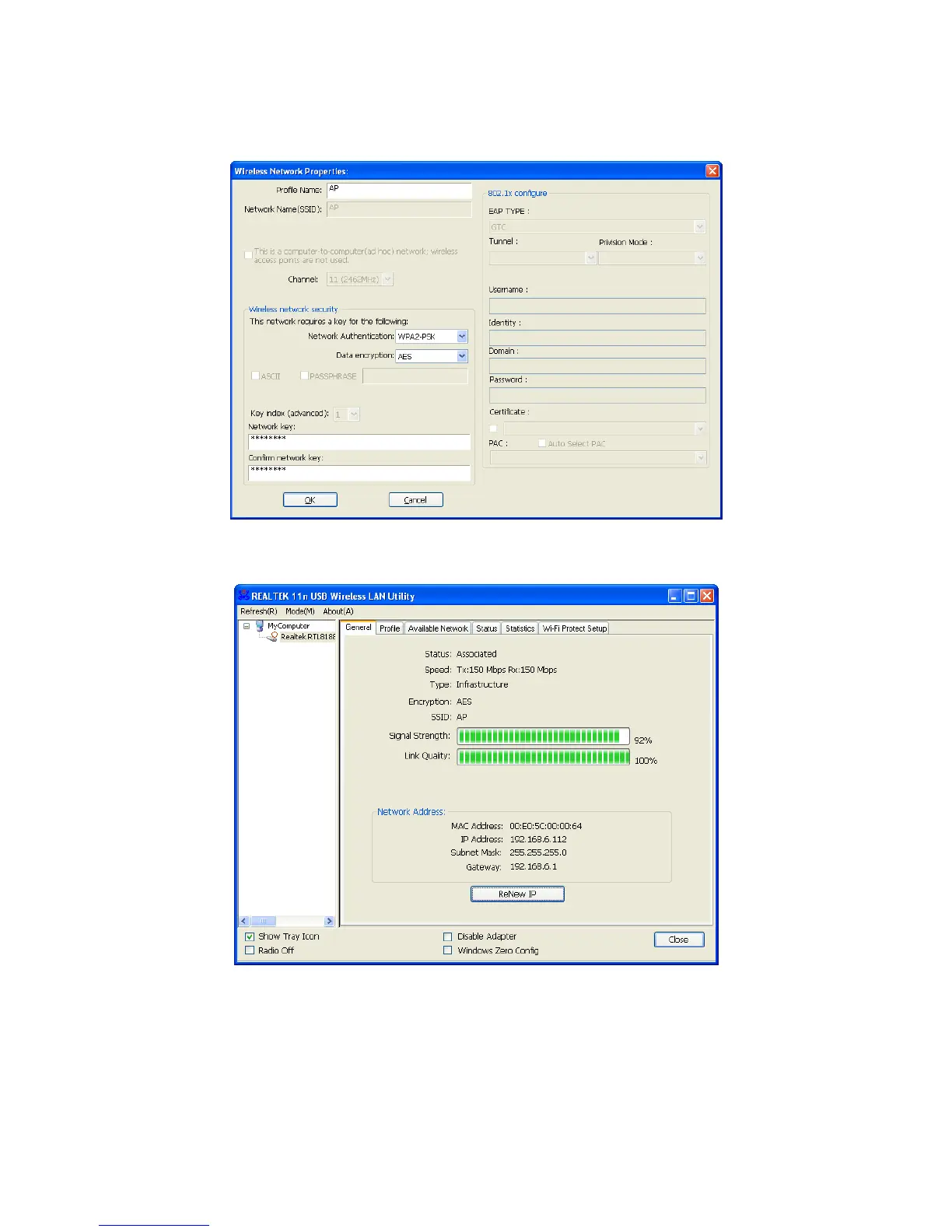
5. If the network is unsecured, you will directly connect to it. If it is security-enables, you can
input the security key into the field below Network key and then click “OK” to continue.
(Figure 14)
6. The wireless network connects a chain success, a nd will be appear as follows interface.
(Figure 15)
The whole allocation process has been already complete.


 To Next Page