Introduction to working mode
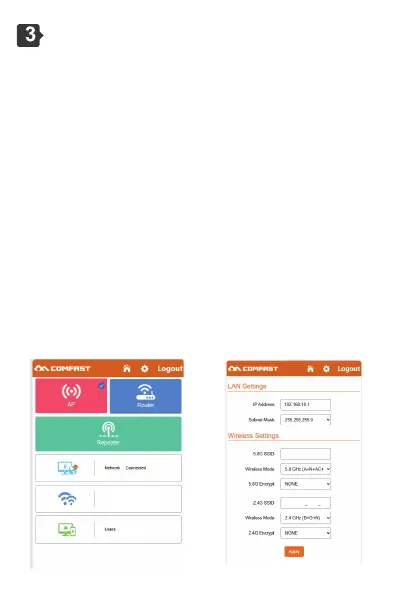
3.1 the software has three working modes, including trunk mode, AP
mode, routing mode (PPPoE dial-up, static IP, dynamic IP).
3.2 AP Mode Setting: Go to the software management page and click
AP mode. For ease of management, the IP address and default
gateway entered here must be the IP network segment of the
upper-layer router. The IP address cannot conflict with the IP address
of the upper-layer router. After the configuration is complete, the WAN
port of the device can access the external network through the
configured IP address.
① Notice: When accessing the Internet in AP mode, the IP address
segment obtained by the wireless device accessing the AP is assigned
by the upper-layer device.
② Keep the default Settings and do not specify the specific Intranet IP
address of the device. If you need to manage the device, manually set
the IP address of the computer's local connection network card.
3.3 AP mode, you can set 2.4G/5.8G wireless SSID name and
password. After the Settings are complete, the WAN port of the device
is connected to the external network. Other mobile devices can
connect to the Internet through the SSID name of the wirelessly
connected device and enter the password.
2G: gg-AX3000_2G_2G
5G: gg-AX3000_2G_5G
1
gg-AX3000_2G_2G
gg-AX3000_2G_5G



 To Next Page