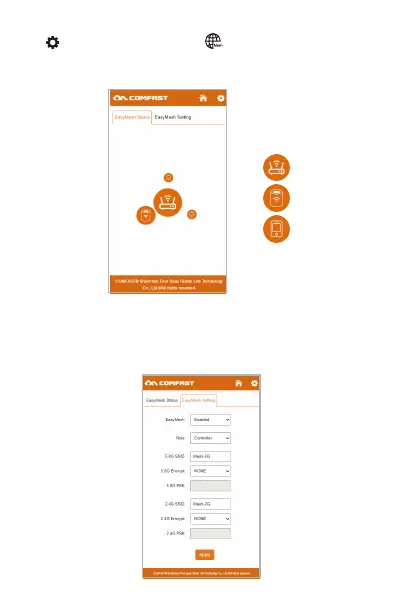
EasyMesh settings:
1. Select the role of Mesh.
2. If you choose the role as "Controller", you need to set the SSID and
password of the Mesh.
Click "Settings" to save the configuration and enable the Mesh function.
Click and select Enter to enter the Mesh setting page.
EasyMesh status: After the Mesh is successfully formed, view the
schematic diagram of the Mesh.
Mobile phones and other
devices connected to the
Mesh network
Agent
Controller



 To Next Page