
 Need help?
Do you have a question about the Comfier B15BLU and is the answer not in the manual?
Key points for health-care professionals and user limitations.
Critical safety advice and operational warnings for the user.
Explanation of blood pressure regulation and factors influencing it.
Visual guide to blood pressure classification based on WHO standards.
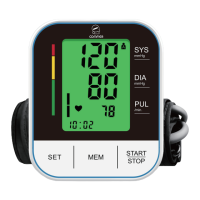
Identification of the physical parts of the blood pressure monitor.
Explanation of all icons and indicators shown on the device's screen.
List of key functionalities and capabilities of the specific device model.
Instructions for battery installation and replacement.
Guide to configuring user, date, time, and volume settings.
Steps for properly connecting the cuff to the main unit.
Recommendations for preparation prior to taking a blood pressure measurement.
Detailed instructions on how to correctly position and secure the cuff on the arm.
Step-by-step guide on how to perform a blood pressure measurement.
Information about the device's ability to detect irregular pulse rhythms.
Troubleshooting guide for common error messages and their solutions.
Details on how the device stores and manages measurement data.
Procedure for stopping an ongoing measurement if needed.
Guide on how to power the monitor using an external AC adapter.
Explanation of various symbols used in the manual and on the device.
Recommendation for periodic accuracy checks of the measuring instrument.
Method to extend the product warranty period beyond the standard term.
 General
| Brand | Comfier |
|---|---|
| Model | B15BLU |
| Category | Blood Pressure Monitor |
| Language | English |

 To Next Page