3.3
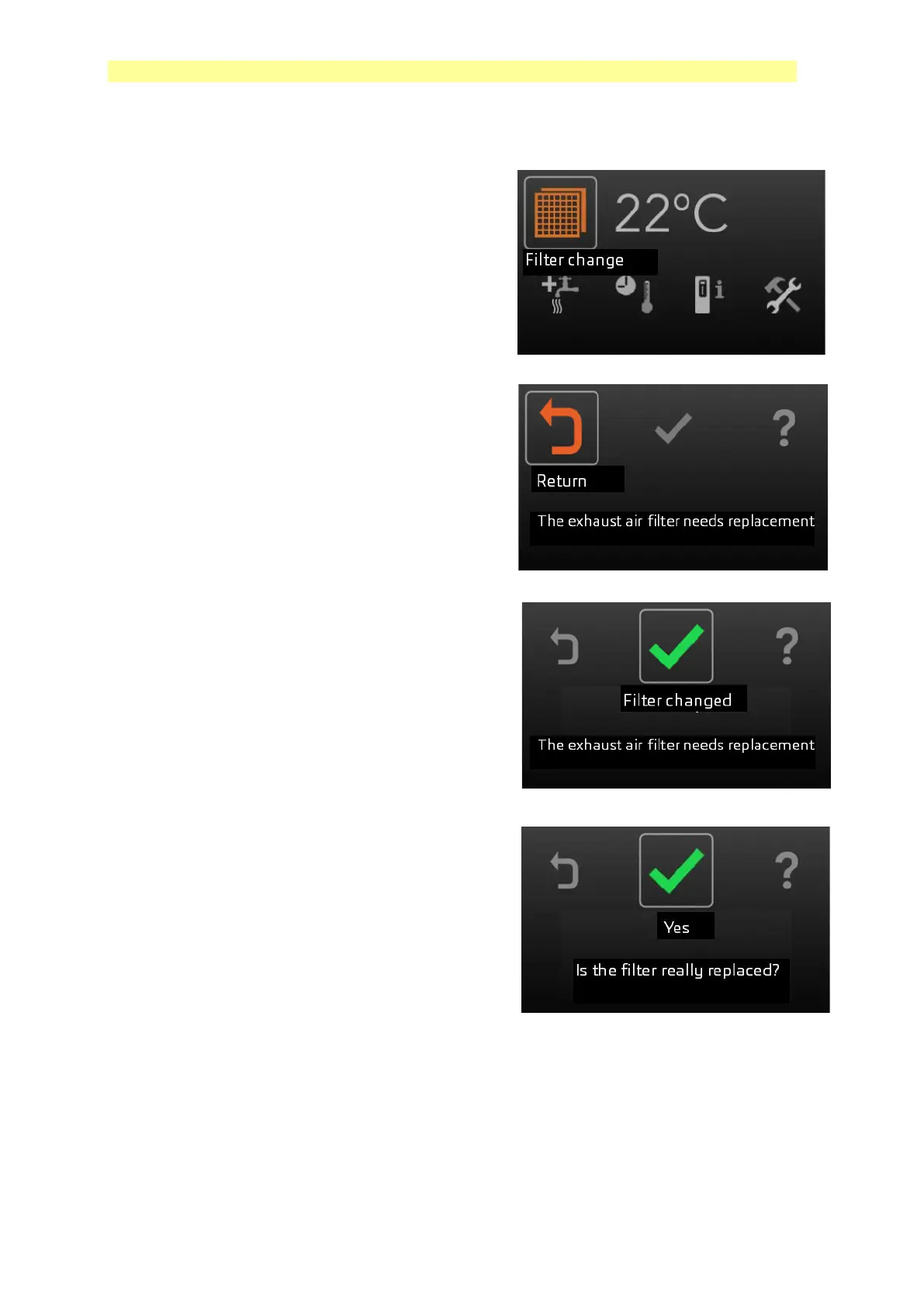
Filter alarm reset
The bar for the filter symbol is located in the
upper left corner.
Press the OK button.
The text "Exhaust air filter needs to be
replaced" appears on the display.
Turn the marker to the gray check mark, the
check mark changes color to green symbol.
The text "Filter changed" + "The exhaust air
filter needs to be replaced" appears on the
display.
If the filter is changed, press the OK button.
The text "Is the filter really filter changed?"
Appears on the display.
If the filter is changed, press the OK button.
The filter alarm is now reset.
.


 To Next Page