English - 19
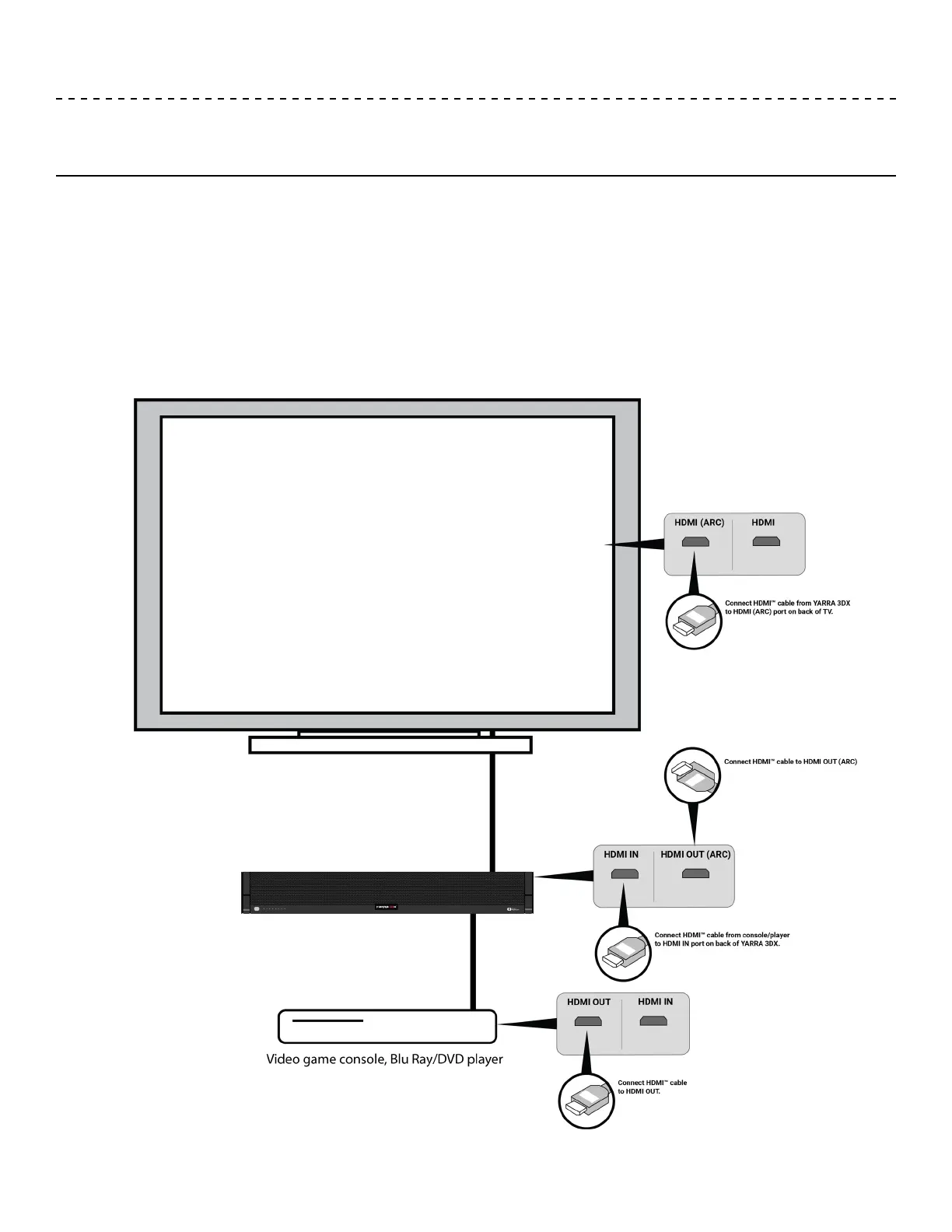
To connect a video game console or a Blu Ray player to the YARRA 3DX, you will need two HDMI™ cables.
1. Connect an HDMI™ cable into the HDMI OUT port of the console/media player.
2. Connect the other end of that HDMI™ cable into the HDMI IN port on the back of the YARRA 3DX.
3. Connect an HDMI™ cable into the HDMI OUT (ARC) port on the back of the YARRA 3DX.
4. Connect the other end of that HDMI™ cable into the HDMI ARC port of the TV.
USING THE YARRA 3DX
Connecting game console/media player


 To Next Page