English - 10
SETTING UP THE YARRA 3DX
Cable options
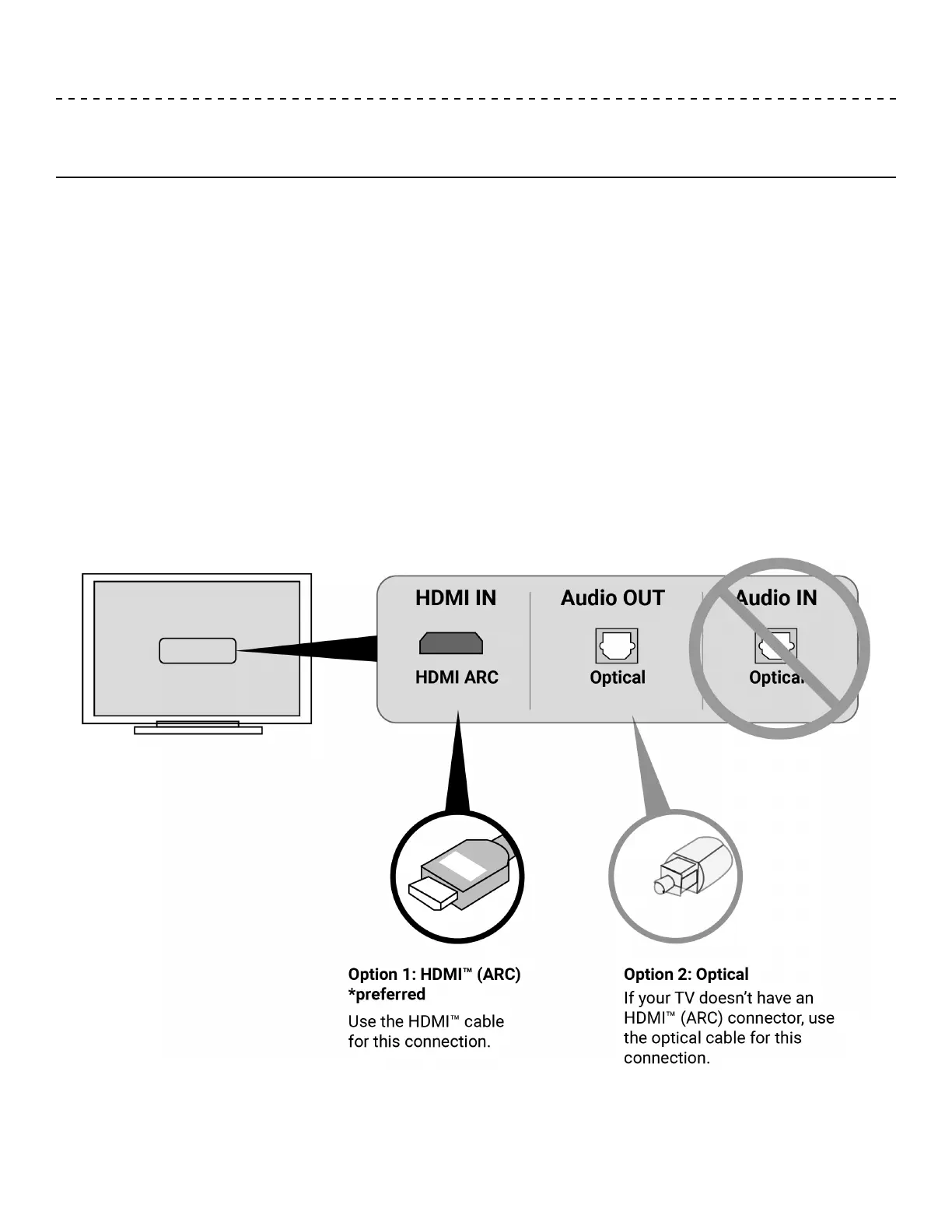
Connect the soundbar to your TV using one of two cable options:
• Option 1: HDMI™ ARC (preferred)
• Option 2: Optical
Note: The preferred option is to connect the soundbar to your TV’s HDMI™ ARC or Audio Return Channel
connector using the HDMI™ cable.
1. On the back of your TV, locate the HDMI™ IN and Audio OUT (digital) connector panels.
2. Choose an audio cable.
Your TV’s connector panel may not appear as
shown. Look for the shape of the connector.


 To Next Page