English - 11
SETTING UP THE YARRA 3DX
Connecting the soundbar to your TV
After choosing an audio cable, connect the soundbar to your TV.
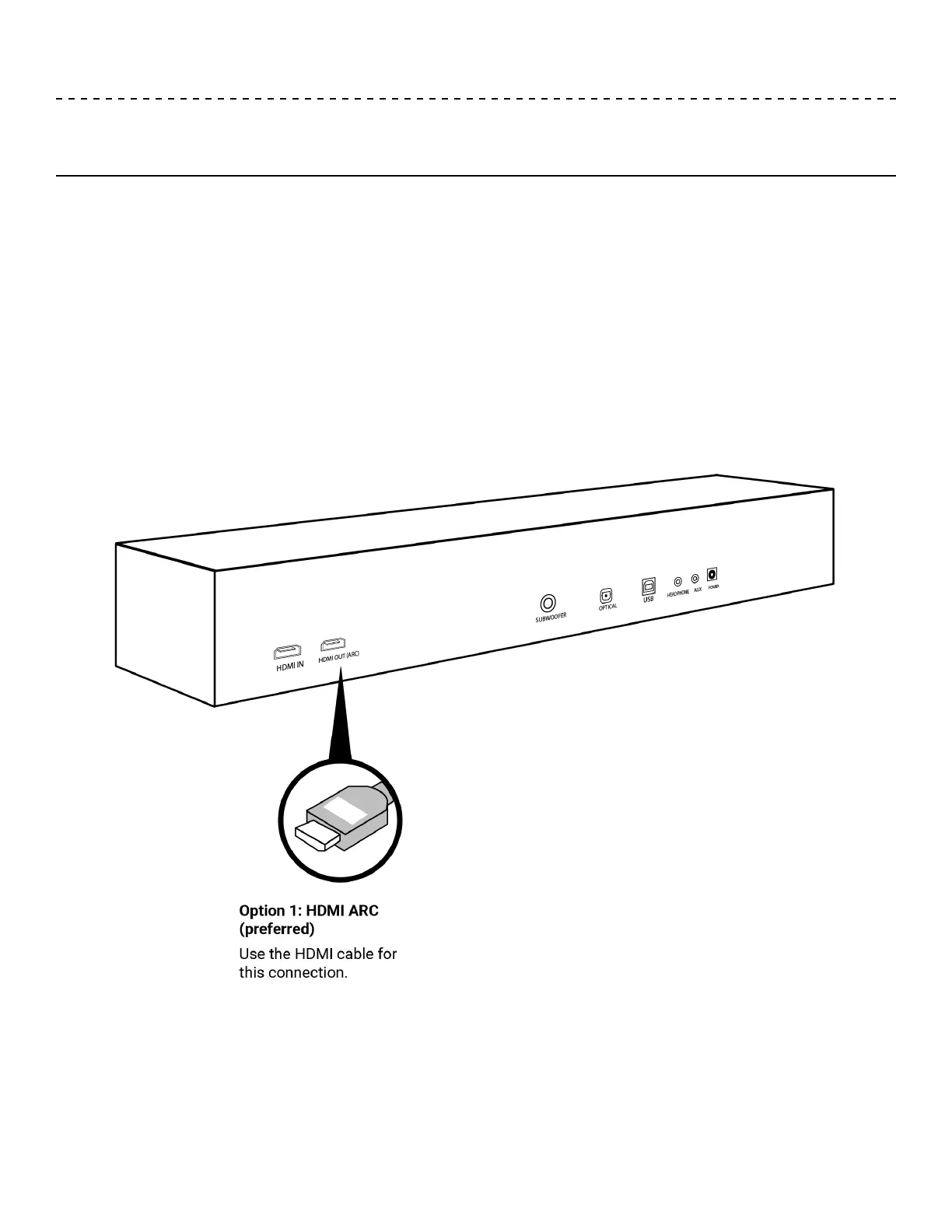
Option 1: HDMI™ ARC (preferred)
1. Insert one end of the HDMI™ cable into your TV’s HDMI™ ARC connector.
Note: If you don’t connect to your TV’s HDMI™ ARC or Audio Return Channel port, you won’t hear
audio from the soundbar. If your TV does not have an HDMI™ ARC connector, see “Option 2: Optical”
on page 11.
2. Insert the other end of the cable into the HDMI™ OUT (ARC) connector on the soundbar.


 To Next Page