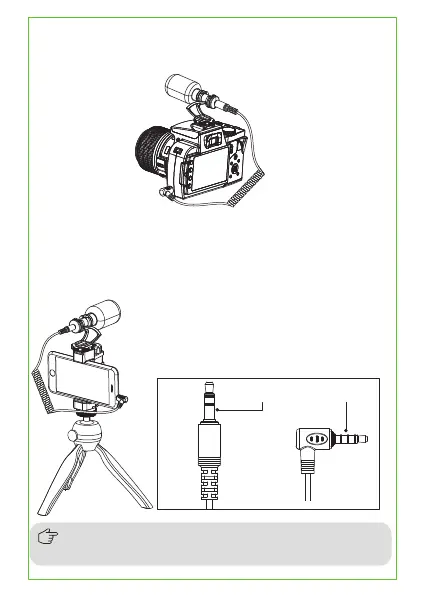
Work with smartphone:
Install the CVM-VM10II to the camera via cold shoe mount, then
connect the CVM-VM10II and camera through 3.5mm TRS-TRS audio
cable
Install the CVM-VM10II and smartphone to the smartphone holder, then
connect the CVM-VM10II and smartphone through 3.5mm TRS-TRRS
audio cable (Please purchase the smartphone holder by yourself)
Work with camera:
TRRS PlugTRS Plug
Please pay attention to the TRS plug is for microphone
and the TRRS plug is for smartphone



 To Next Page