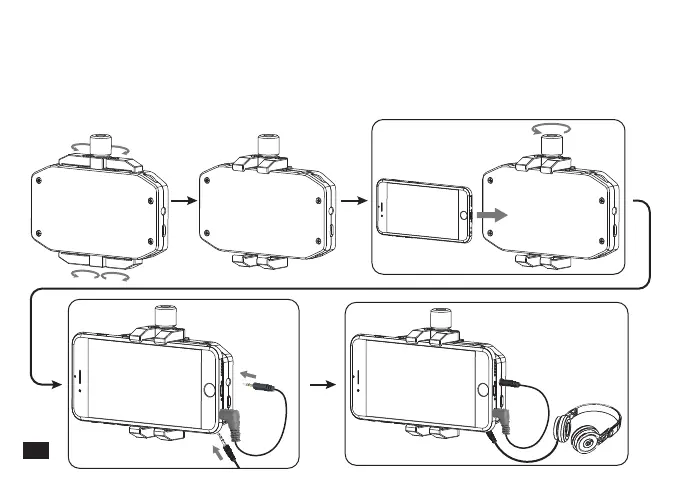
1.Rotate the four clamps, then adjust the screw to appropriate height, install the phone
in the neutral position; connect one end (black) of the audio output line to OUTPUT
socket, the other end (gray TRRS) to mobile phone audio input socket; A 3.5mm
headset can be inserted in real-time monitoring socket according to the need.
Receiver:
22













 To Next Page