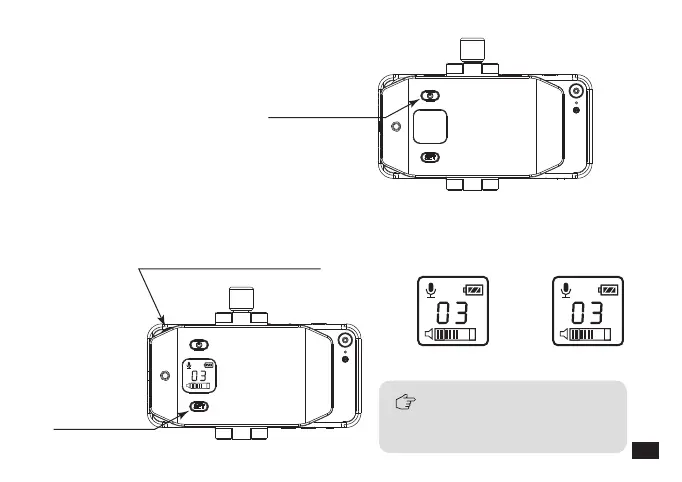
When the receiver channel
matches the transmitter, the
green light keeps on.
Power Button
2.Long press the power button to turn on the receiver;
3.Short press set button to make channel consistent with the transmitter, and adjust the
volume to the optimal status through the volume adjusting wheel;
“set” Button
volume adjusting wheel
Receiver ChannelTransmitter Channel
23













 To Next Page