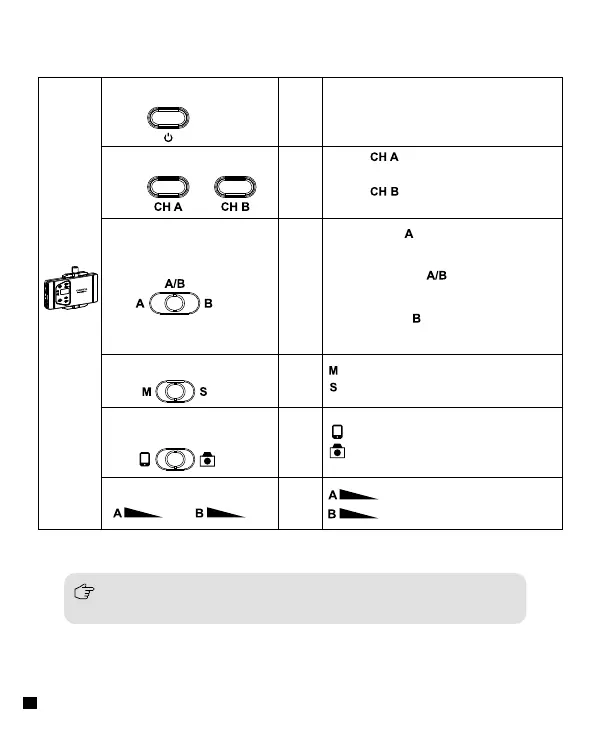
Receiver
(RX)
On-Off Button
Long
Press
Power ON/OFF
Channel Selection Switch
Group Switching Button
Mono/Stereo Switch
Smartphone/Camera
Switching Button
Group Volume Adjustment
Short
Press
Press is to select Group A`s
Channel
Press is to select Group B`s
Channel
Push left to , Open Group A
only
Push
Push
Turn
Turn
Mono Mode
Stereo Mode
Smartphone Mode
Group A volume adjustment
Group B volume adjustment
Camera Mode
Push to middle , Open both
Group A and Group B
Push right to , Open Group B
only
At the limitation of external microphone input, Switch to the mono mode
automatically under smartphone mode ,No Stereo Function
8














 To Next Page