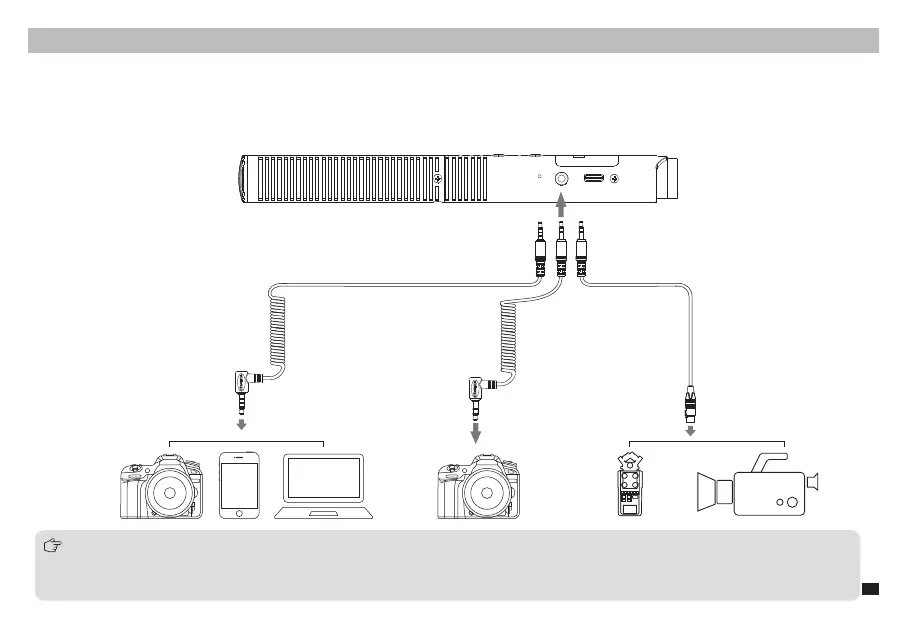
3.5mm Analog Output
Wired Mode
Installation and Usage
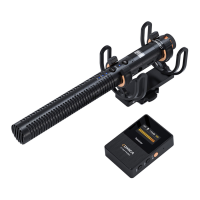
Connect the shotgun microphone to the camera/smartphone/computer through the 3.5mm audio cable, or connect to the camcorder/recorder through
the 3.5mm TRS-XLR audio cable
1. TRRS-TRRS audio cable for cameras/smartphones/computers, TRS-TRS audio cable for some cameras not compatible with TRRS-TRRS audio
cable, TRS-XLR audio cable for recorders/camcorders. Please purchase a TRS-XLR audio cable with a chip
2. VM30 can not automatically switch on/o when used on devices with an XLR interface. Users need to long press the RF button to turn on/o the
microphone manually
7


 To Next Page