EasyManua.ls Logo

Comica Vimo Q - User Manual

Comica Vimo Q
18 pages
Print Icon
To Next Page IconTo Next Page
Loading...
User Manual
Four-channel Mini Wireless Microphone
Vimo Q
Stereo
A
VOL 4
B
VOL 4
C
VOL 4
D
VOL 4
Question and Answer IconNeed help?

Do you have a question about the Comica Vimo Q and is the answer not in the manual?

Summary

Foreword

Main Features

Notice

Packing List

Components and Instruction

Transmitter (TX) Overview

Illustrates and labels the components of the transmitter unit, including ports and buttons.

Receiver (RX) Overview

Screen Display

Charging Case

Installation and Usage

Pairing Method

Provides step-by-step instructions for pairing transmitters with the receiver, including visual cues.

Installation

Transmitter (TX) Installation

Guides on selecting internal or external microphone modes for the transmitter, with usage recommendations.

Receiver (RX) Usage

Mono;Stereo Mode Output

Explains analog audio output connections for cameras, phones, and computers in mono/stereo modes.

Quad Mode Usage

Overview

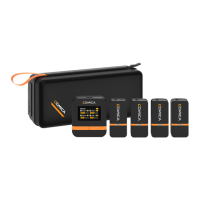
The Comica Vimo Q is a four-channel mini wireless microphone system designed for professional audio recording. It offers a compact and portable solution for capturing high-quality sound, making it suitable for various applications including content creation, interviews, and live streaming.

Function Description

The Vimo Q system comprises four transmitters (TX) and one receiver (RX), along with a charging and storing case. Each transmitter features both an internal microphone and a 3.5mm TRS external mic interface, allowing users to choose their preferred input method. The internal mic automatically turns off when an external mic is connected. Transmitters also include a power/mute button, denoise/volume up button, pair/volume down button, a working indicator light, and a USB-C charging port. The working indicator light displays red when muted, green when denoising, and blue for original sound.

The receiver is equipped with a 3.5mm TRS audio output interface, a 3.5mm TRS/TRRS monitoring/audio output interface, a reset hole, a USB-C charging/audio output interface, a power/mode switch button, a pair/screen flip button, and charging pads. The receiver's screen displays essential information such as the selected mode (Mono, Stereo, Quad), pairing status, volume levels, mute status, and battery power for both the receiver and individual transmitters. It also features an audio dynamic bar to visualize sound input levels for each channel.

The Vimo Q supports multiple audio output modes:

  • Mono Mode: Outputs a mixed audio of all four channels (A/B/C/D) through the 3.5mm TRS audio output interface. For monitoring, 3.5mm TRS/TRRS headphones can be plugged into the monitoring/audio output interface.
  • Stereo Mode: Outputs two individual audios, with A/C channels as the left channel and B/D channels as the right channel, via the 3.5mm TRS audio output interface. Monitoring is also available through the 3.5mm TRS/TRRS monitoring/audio output interface.
  • Quad Mode: Outputs two individual audios of A/B channels through the 3.5mm TRS audio output interface, and two individual audios of C/D channels through the 3.5mm TRS/TRRS monitoring/audio output interface. This mode is not supported when outputting audio via the USB interface. A "ticking" sound may occur when switching quad mode on/off, so it's recommended to select the mode before recording.

The system offers both digital and analog outputs, ensuring compatibility with a wide range of devices including cameras, smartphones, and PCs. For digital output, the receiver can connect to a mobile phone or computer via the 2-in-1 charging/audio output cable and relevant OTG audio cables/adapters. For analog output, a 3.5mm TRS-TRS audio cable is used for cameras, and a 3.5mm TRS-TRRS audio cable with an OTG adapter for smartphones or computers.

Usage Features

The Vimo Q is designed for ease of use with several convenient features:

  • One-key Denoise: Transmitters include a dedicated button for activating/deactivating denoise functionality, enhancing sound clarity.
  • Volume Control: Users can adjust the volume directly from the transmitters.
  • Real-time Monitoring: The receiver allows for real-time audio monitoring, crucial for ensuring optimal sound capture.
  • M/S Switch: The receiver's power/mode switch button allows users to toggle between mono and stereo modes with a short press.
  • Screen Flip: The pair/screen flip button on the receiver enables flipping the screen display, useful for different mounting orientations.
  • Pairing Method: The devices are pre-paired by default. If re-pairing is needed, users place transmitters and receiver within one meter, long-press their power buttons to switch on, then long-press their pair buttons. Transmitter indicator lights will flash red, blue, and green alternately, and the receiver screen will show "Pair....". Upon successful pairing, transmitter lights turn blue, and the receiver displays connected channel status.
  • Charging While Using: The USB-C charging port on both transmitters and the receiver supports charging while the device is in use, extending operational time.
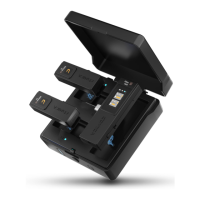
  • Charging & Storing Case: The included case not only stores the components but also charges them, providing up to 16 hours of total duration. The case has four power indicator lights, each representing 25% of the power, and a pair/awake button for pairing or waking up microphones.

Maintenance Features

To ensure the longevity and optimal performance of the Vimo Q, several maintenance guidelines are provided:

  • Reset Functionality: Both the receiver and the charging case have reset holes. If the receiver experiences abnormal phenomena like crashes or failure to turn on, inserting a pin into the reset hole will reset and restart it. If the charging case cannot charge, a pin can be inserted into its reset hole to reset it.
  • Environmental Precautions: The product is a high-precision equipment and should be protected from falling, collision, or pounding. It should not be used near sources of heat or interference (radiators, ovens, refrigerators, air conditioners). It is crucial to keep the product in a dry environment and avoid use in rainy or damp conditions to prevent short-circuit danger.
  • Wind Noise Reduction: For close-distance sound pickup or outdoor recording, it is recommended to use the included wind muffs on the transmitters to prevent sound bursting or reduce wind noise.
  • Optimal Usage: For best wireless performance, it is advisable to keep the transmitters and receiver face to face and avoid turning your back to the receiver, as this can lead to signal breakpoints.

Comica Vimo Q Specifications

General IconGeneral
Frequency Response20Hz - 20kHz
Battery LifeUp to 8 hours
Connector3.5mm TRS
Transmitter TypeBodypack Transmitter
Polar PatternOmnidirectional
Signal to Noise Ratio≥ 70dB
Maximum SPL120dB
Wireless Frequency2.4GHz
Latency< 20 ms
Charging Time2 hours
Number of Transmitters2
Number of Channels2
Total Harmonic Distortion< 0.1%
Charging PortUSB-C
TypeWireless Microphone System
Transmission2.4GHz
Battery Capacity300mAh
BatteryLithium-ion
CompatibilityCameras, smartphones, computers
Included AccessoriesWindshield, USB Cable

Related product manuals