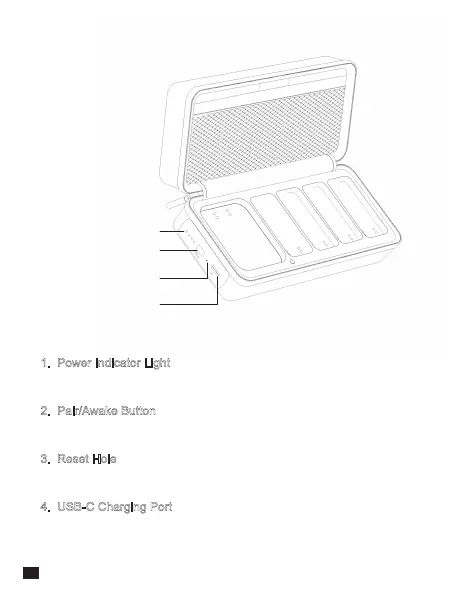
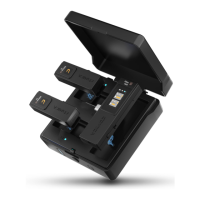
Power Indicator Light
Pair/Awake Button
Reset Hole
USB-C Charging Port
1. Power Indicator Light
There are four lights, each representing 25% of the power
2. Pair/Awake Button
Long press to pair the microphone; short press to awake the microphone
3. Reset Hole
If the device cannot be charged, insert a pin into the reset hole to reset it
4. USB-C Charging Port
To connect a power bank/DC power supply through the 2-in-1
charging/audio output cable for charging
Charging Case:
8


 To Next Page