Installation and Usage
Wired Mode
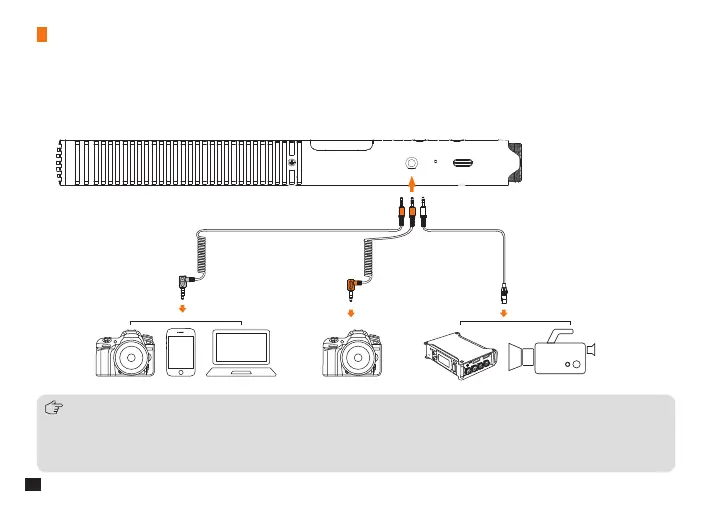
3.5mm Analog Output
Connect the shotgun microphone to the camera/smartphone/computer through the 3.5mm audio cables, or connect to
the camcorder/recorder through the 3.5mm TRS-XLR audio cable
1. TRRS-TRRS audio cable for cameras/smartphones/computers, TRS-TRS audio cable for some cameras not compatible
with TRRS-TRRS audio cable, TRS-XLR audio cable for recorders/camcorders(Please prepare by yourself)
2. When using a non-step-down TRS-XLR audio cable, do not turn on the 48V phantom power of the recorder /camera,
and the shotgun microphone must be turned on and o manually; when using a step-down TRS-XLR audio cable, users
can turn on the 48V phantom power, and the shotgun microphone can turn on and o automatically
10


 To Next Page