#20379_L
US customer support 1-888-622-2377 | www.commandaccess.com | CA customer support 1-855-823-3002
5
installation instructions
7
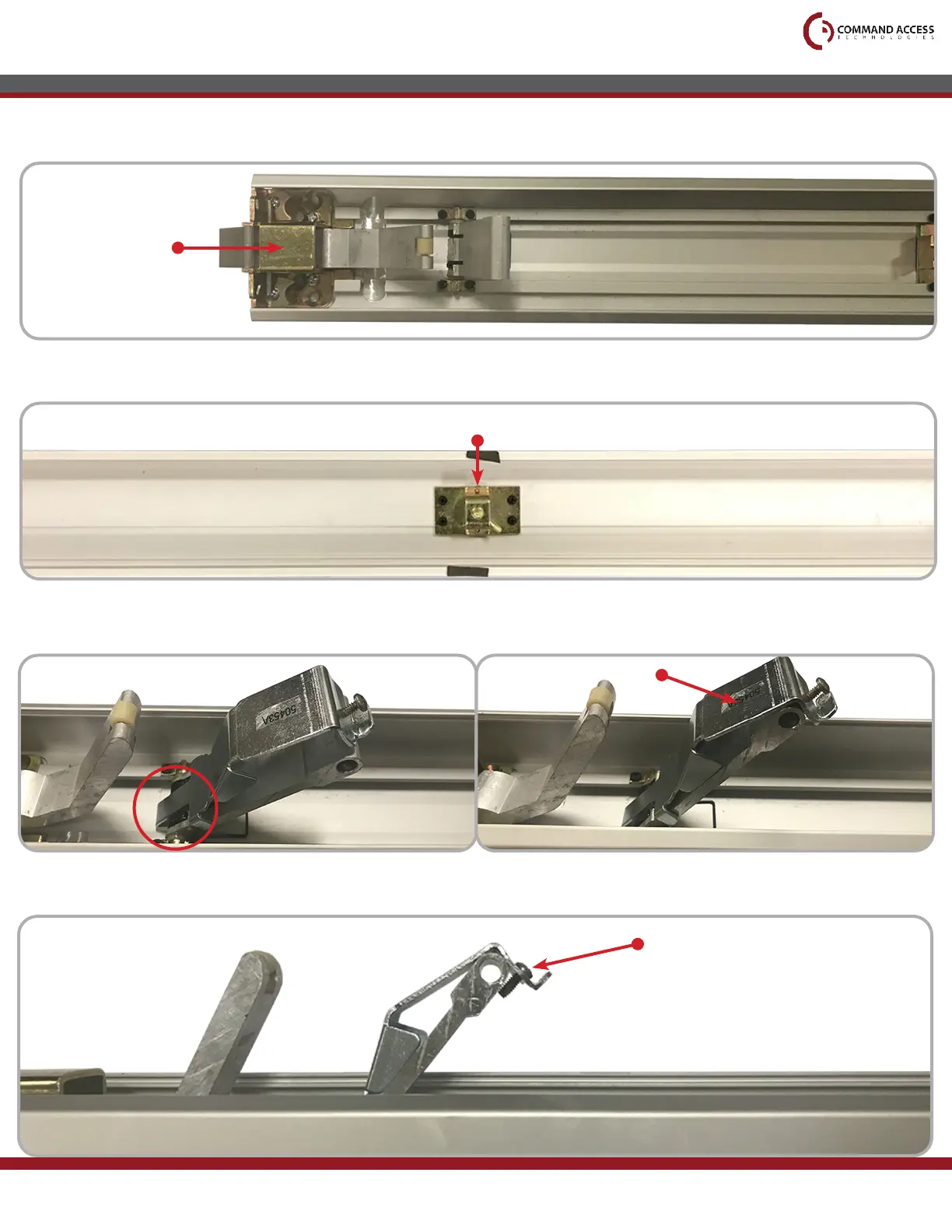
Flip the Push Pad over and remove the Dogging Assembly underneath (four screws).
8
Reinstall the Head Assembly.
9
Install the Magnet Bracket by rst hooking the bottom tab under the Front Activating Bracket.
Then press on the top plane to snap the Magnet Bracket in place.
Dogging Assembly
Head Assembly
Press Here
10
Once snapped in place, tighten the Top Screw to secure the Bracket in position.
Top Screw



 To Next Page