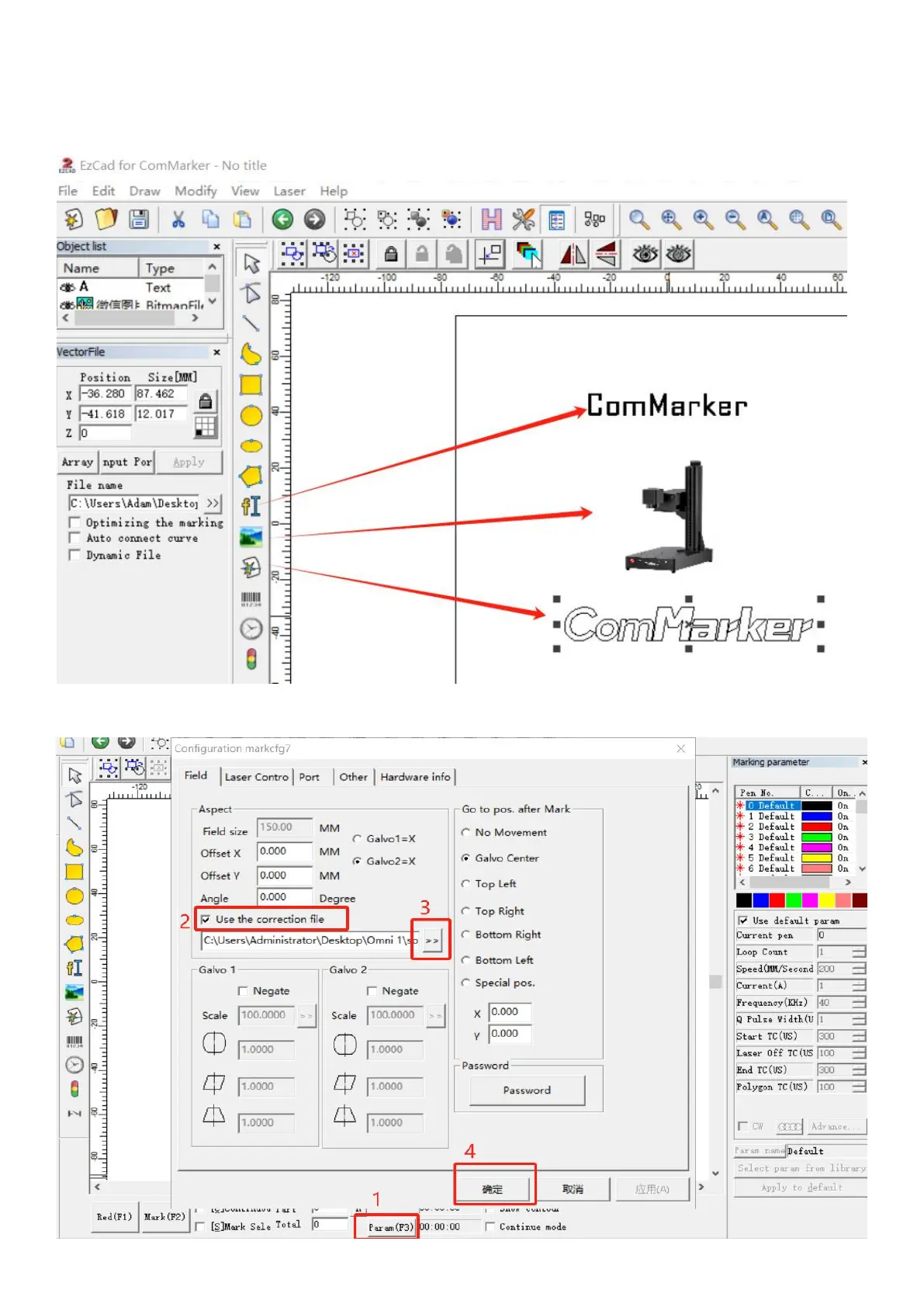
2. Open the software
Open the USB folder omni 1; open the "software15” folder. Open the software “EZCAD2”. You can enter
"text", "picture" or "vector diagram" as shown in the figure below. It is recommended to select the text to
test first.
00
3. Import the correction file
Select "Parameter (F3)", tick "Use Correct File", click , select the file ending in .cor in the USB flash drive (or
have been copied to the computer disk), and click "OK".



 To Next Page