LightBurn Operation Tutorial (For MacOS)
Download and install Lightburn software from the website
Note: It is not compatible with our machine if your Lightburn version is lower than V1.3.01, please
download a new version and reinstall.
And Lightburn is a paid software with 1 month free trial, you need to buy the licence key for Galvo version.
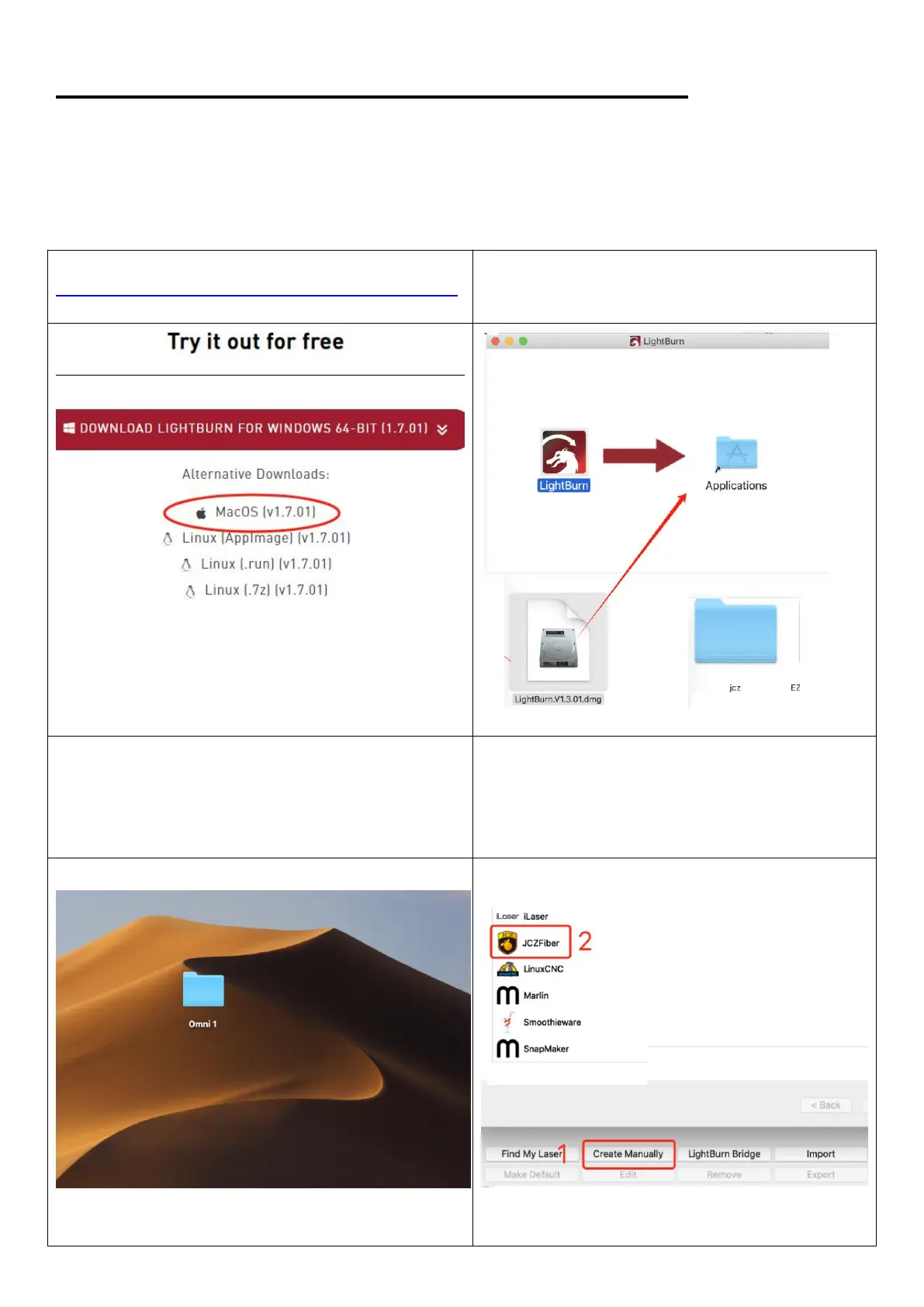
1. Down load the software from the website:
https://lightburnsoftware.com/pages/download-trial
2.Find downloaded file Lightburn V1.7.01, and
drag Lightburn icon to the Applications folder
3.Copy the folder “Omni 1” from the USB to the
desktop
4. A device window will pop out if the software is
open the first time, click “Create Manually”, Select
“JCZFiber”
Note: Make sure the machine is on and
connected



 To Next Page