The visitor
presses the
call button on
the camera
A chime
sounds
To check
The visitor’s
image appears
on the monitor
Hang-up
the
handset
Ends the
call
A view of the front door can be seen
anytime the entrance button is pressed
and a dialog can be made with anyone
at the front door.
Dialog
duration
6
seconds at
a time
Open the door
The door release function
operates only when the visitor’s
image is displayed on the screen
Dialog begins
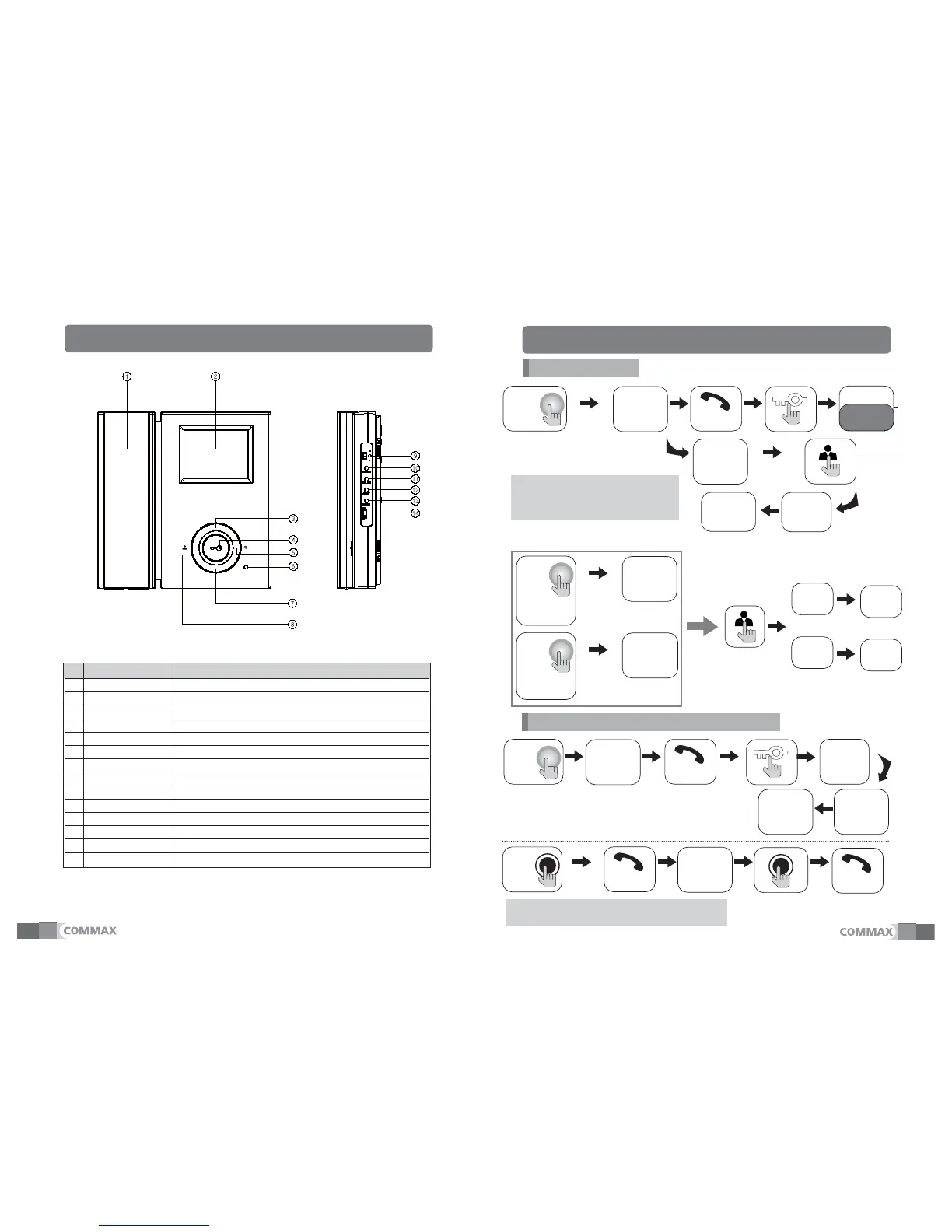
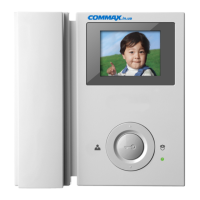
No. Part name Description
1 Handset The phone's handset receiver
2 Screen 3.5"TFT LCD
3 UP Button Control BRIGHT / CONT / COLOR
4 Door open button
Door strike of Relevant camera is run during the status of door communication
5 Interphone button Call to interphone with picking up handset
6 Power status LED Light
7 DOWN Button Control BRIGHT / CONT / COLOR
8 Entrance button Press when to want to check the entrance status
9
Volume control switch
Control incoming volume
10
BRIGHT setting button
Press the setting button to control BRIGHT
11
COLOR setting button
Press the setting button to control COLOR
12 CONT
setting button
Press the setting button to control CONT
13 RESET button Button for fixing the default of screen on Color, Brightness
14 Power switch ON / OFF switch for power supply
Ⅱ. Part names and functions
Ⅲ. Operation
*
Dialog between the interphone and camera is possible only
when the visitor’s image is visible on the monitor screen.
The
visitor
presses
the call
button on the
camera1
A chime
sounds
The visitor’s
image appears
on the monitor
Press
once
Press
twice
Camera 1
view
Camera 2
view
The
visitor
presses
the call button
on the
camera2
A chime
sounds
The visitor’s
image appears
on the monitor
2


 To Next Page