7
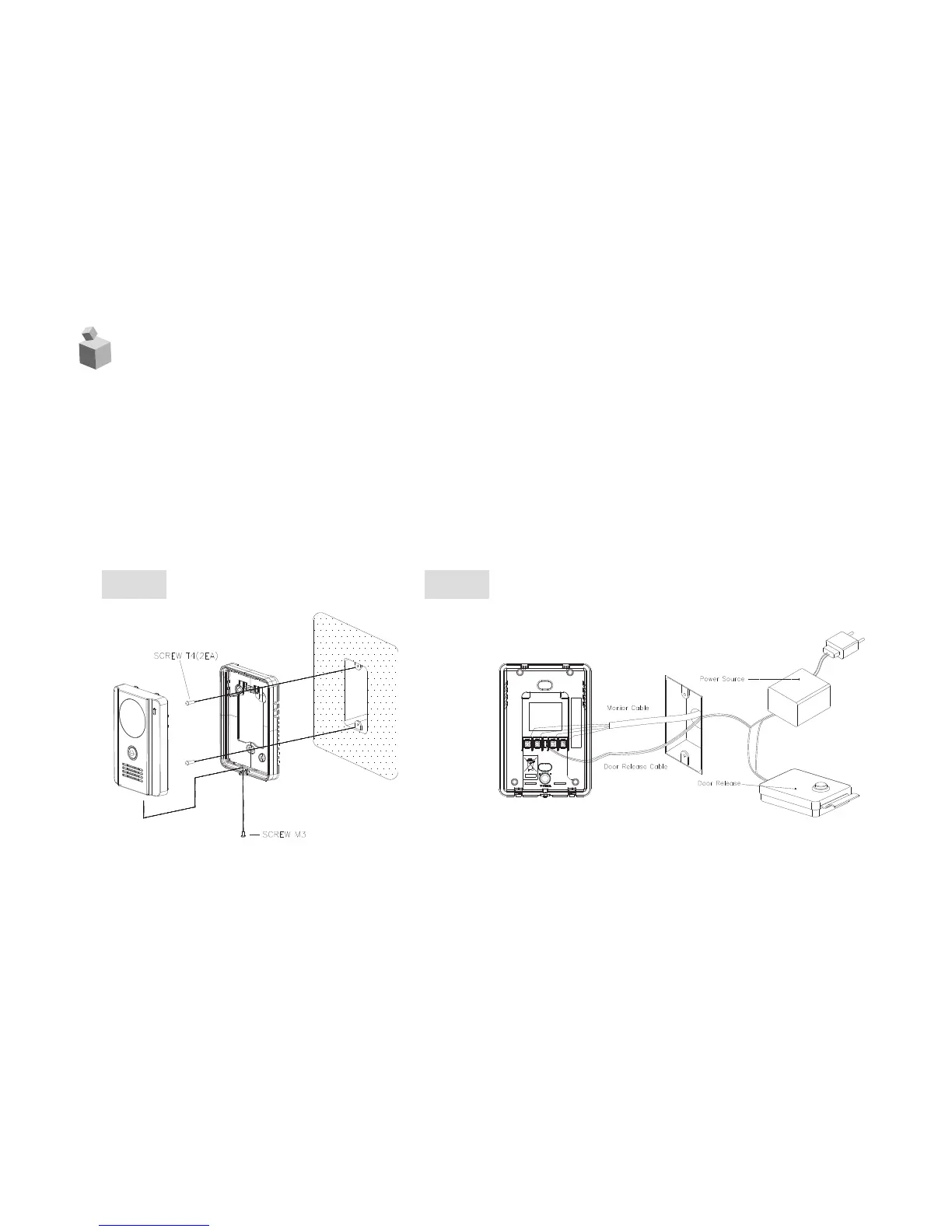
1. Fix a bracket on a wall with screws
2. Wiring #1, 2, 3, 4 on the back side of a dooor camera with a monitor
as shown in [FIG-2]
(#1 : VOICE, #2 : GND, #3 : DC12V, #4 : VIDEO)
3. Put a door camera unit into a wall bracket
4. Wire door release connection terminal as shown in [FIG-2]
5. Tighten a screw at the bottom side of a door camera. [FIG-1]
4.
Wiring and Installation
[FIG-2][FIG-1]


 To Next Page