6-2-4. SETTING
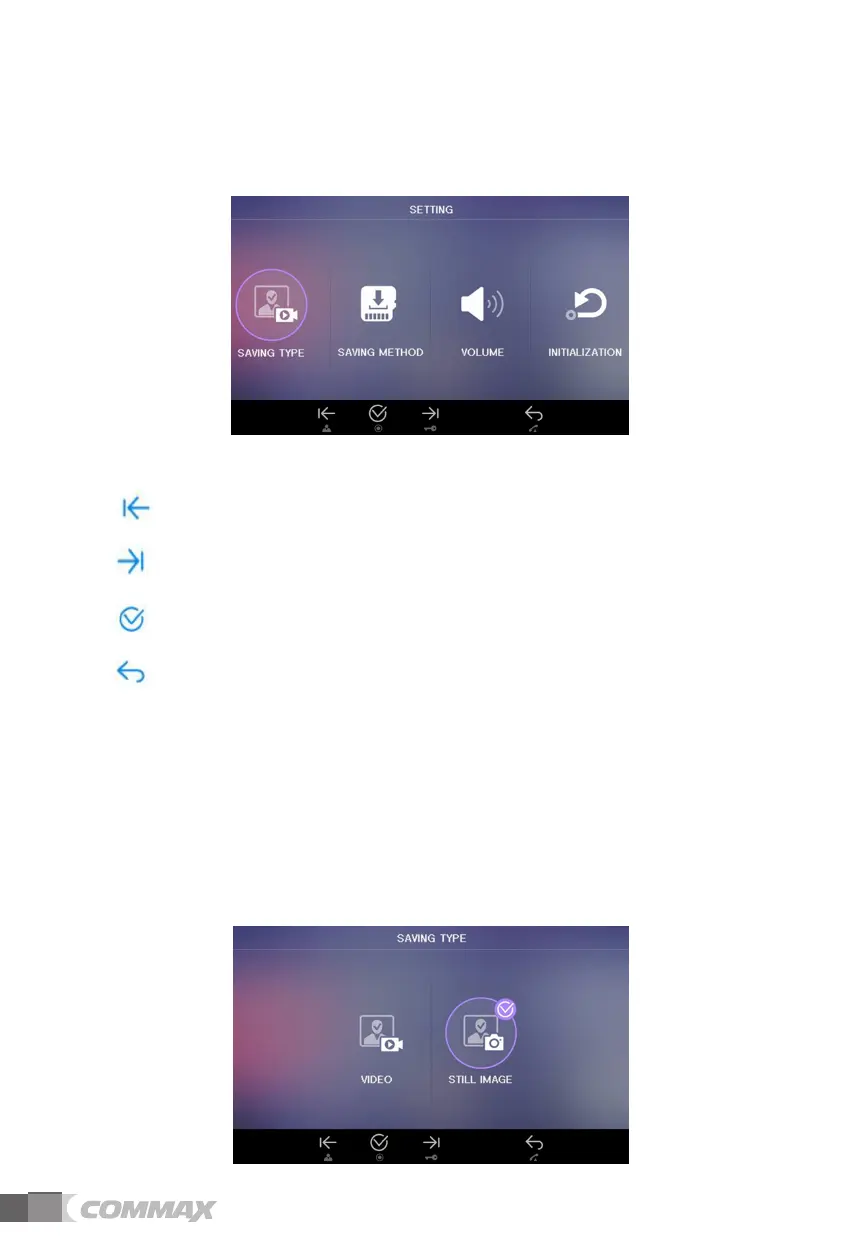
User can see below image in LCD monitor by moving and selecting the right icon
‘SETTING’ in CONFIG.
(1) Icon description
: Move to left - Move from right feature to left.
: Move to right - Move from left feature to right.
: Select - Select to feature to change.
: Previous – User can go back to ‘CONFIG’
(2) SAVING TYPE
(3) SAVING METHOD
(4) VOLUME
(5) INITIALIZATION
6-2-4-1 SAVING TYPE
User can see below image in LCD monitor by moving and selecting the right icon
‘SAVING TYPE’ in SETTING mode. (Factory default setting: STILL IMAGE)
12


 To Next Page