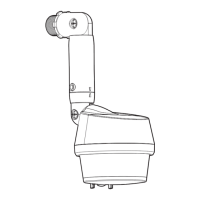
This document provides a comprehensive guide for the installation, operation, and maintenance of a Commercial Electric Motion Sensor Light Controller. The device is designed to enhance home security and convenience by automatically controlling lighting based on detected motion and ambient light levels.
Function Description
The Commercial Electric Motion Sensor Light Controller is a sophisticated device that integrates motion sensing capabilities with lighting control. Its primary function is to turn on connected lights when motion is detected within its coverage area, providing security lighting and convenience. The controller operates on 120-volts AC and is specifically designed for outdoor use, suitable for installation on a wall or under an eave. It is intended for use with a junction box marked for wet locations, ensuring durability and safety in various weather conditions.
The motion sensor is capable of detecting motion up to 70 ft. (21 m) with a wide sensing angle of up to 270°, although the actual range can vary with surrounding temperature. This broad coverage ensures that a significant area around your home can be monitored effectively. The device supports various lamp types, including incandescent, halogen, and LED bulbs, with specific wattage requirements for each. For incandescent and halogen loads, it supports a minimum of 40W and a maximum of 300W. For LED loads, the range is from a minimum of 15W to a maximum of 100W.
A key feature of this controller is its ability to be wired in parallel with multiple LED light fixtures. This allows all connected lights to turn on simultaneously when motion is detected by any of the sensors, provided the total wattage of all lights does not exceed 100W. This parallel switching capability is ideal for illuminating larger areas or multiple points of entry around a property.
Usage Features
The motion sensor light controller offers a range of customizable usage features, allowing users to tailor its operation to their specific needs. These features are primarily controlled via adjustment knobs on the sensor head and include:
- Time Delay: Users can set the duration for which the lights remain on after motion is detected. Options typically include 1, 5, or 10 minutes.
- Operating Modes: The controller supports multiple operating modes:
- Auto Mode: The sensor automatically controls the lights based on motion and ambient light.
- Manual Mode: Allows users to manually override the motion sensor and keep the lights on continuously for a set period. This can be activated by quickly toggling the wall switch OFF and ON within 0.2 to 1.5 seconds. To cancel manual override, the same action is performed. This feature works only at night for 6 hours.
- Eco Mode: Designed to minimize power usage, lights turn on for 10 seconds with motion and stay on as long as motion is detected. Lights will dim to warn that they are about to shut off.
- Test Mode: This mode allows users to perform a "walk test" to adjust the sensor's coverage area. In test mode, lights will come on for approximately 2-3 seconds every time motion is detected, regardless of ambient light. This is crucial for establishing the desired detection zone.
- HI-LO Timer (Accent and Security Lighting): This feature provides both security lighting and accent lighting.
- OFF: The HI-LO feature is disabled, and the motion sensor operates at 100% brightness after dark.
- Dusk-to-Dawn Timer: Lights automatically turn on at approximately 25% brightness at dusk and remain on until dawn. When motion is detected after dark, the lights will illuminate at 100% brightness.
- Timer Mode (Seasonally Adjusted Timer): Lights turn on at 25% brightness at dusk and automatically turn off in the middle of the night, with the timing calculated by the sensor. Motion detection after dark will trigger 100% brightness.
- Important Note: To utilize the HI-LO accent and security lighting feature, it is essential to use dimmable bulbs. If non-dimmable bulbs are used, the HI-LO function will automatically be turned off by the sensor.
- Dusk Learn: This feature allows users to set the specific level of darkness at which the sensor becomes active and the HI-LO feature engages. Pressing the "Dusk Learn" button once sets the current darkness level as the new "Dusk" level. Pressing it twice within 5 seconds resets the dusk level to the factory default setting (0-10 Lux).
Installation and Adjustment
The installation process involves wiring the motion sensor to the existing junction box and adjusting its physical orientation for optimal performance. The sensor head can be tilted down 110° and rotated 80° left and 80° right, allowing for precise aiming to cover the desired area. Tilting the sensor head forward increases the detection range, while tilting it downward reduces it. Users are advised not to tilt the sensor head upward.
For proper operation, the sensor should be installed approximately 8 ft. (2.4 m) above the ground. If mounted higher, aiming the sensor downward will be necessary to maintain coverage. It is also important to keep regular lamps at least 1 in. (25 mm) away from the sensor, and halogen lamps at least 2 in. (51 mm) away, to prevent interference. The sensor arm can be extended if bulbs or fixtures interfere with the 270° coverage, or retracted for a more compact look if not needed.
Maintenance Features
Maintaining the Commercial Electric Motion Sensor Light Controller is straightforward and focuses on preserving its appearance and functionality.
- Cleaning: To prolong the original appearance of the device, it should be cleaned with water and a soft, damp cloth only.
- Chemical Avoidance: Users are explicitly warned against using paints, solvents, or other chemicals on the light fixture. Such substances can cause premature deterioration of the finish and will void the warranty.
- Water Spray Avoidance: Do not spray the device with a hose or power washer, as this could damage internal components or compromise its weather resistance.
- Gasket and Sealant: During installation, it is recommended to replace the gasket for the light fixture if the existing one is worn or damaged. Additionally, caulking around the canopy and the mounting surface with silicone sealant (not included) is advised to ensure a watertight seal, protecting the wiring and internal components from moisture.
Troubleshooting
The manual includes a comprehensive troubleshooting section to help users diagnose and resolve common issues. This section covers problems such as the light not coming on, lights turning off too late, lights staying on continuously, lights flashing on and off, and lights flickering or not coming on. For each problem, possible causes and corresponding solutions are provided, ranging from checking the light switch and circuit breaker to re-aiming the motion sensor, verifying wiring, resetting settings, or replacing bulbs. For instance, if the light comes on for no apparent reason, it might be sensing small animals or automobile traffic, or the HI-LO switch might be set to Dusk-to-Dawn or Dusk Timer mode. Solutions include re-aiming the sensor or understanding that the fixture is operating normally under those circumstances. If lights stay on continuously, causes could be manual mode activation, a lamp positioned too close to the sensor, or the sensor picking up a heat source. Solutions involve toggling the light switch, repositioning the lamp, or installing the fixture on a different circuit.
Overall, the Commercial Electric Motion Sensor Light Controller is a versatile and user-friendly device designed to provide reliable and customizable outdoor lighting control, enhancing both security and convenience for homeowners.



 To Next Page

 General