[For Windows]
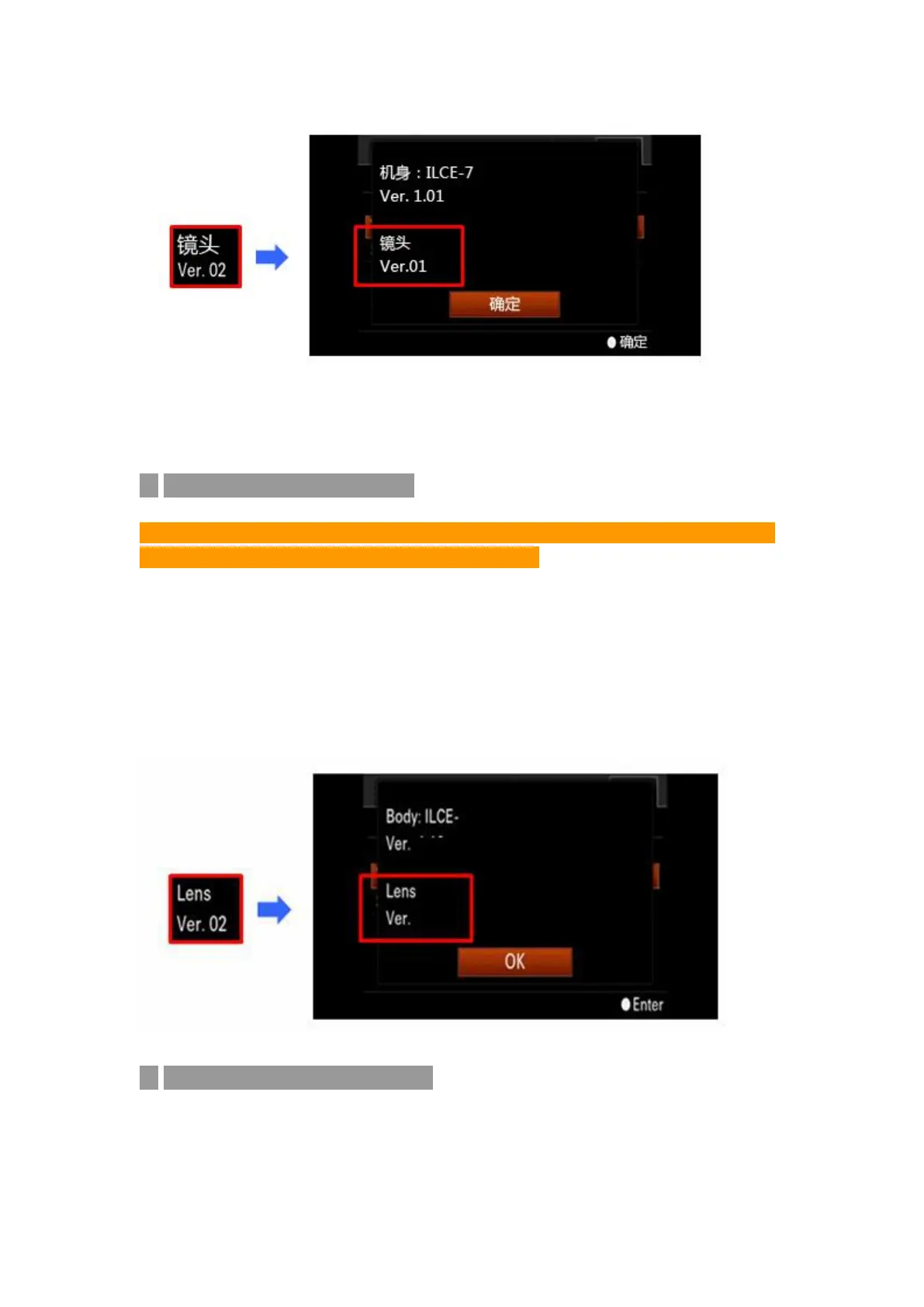
◆ Check the Firmware Version
Notice: Be sure you have connected the adapter to Camera and Lens before
checking. The adapter performs as a lens then.
1. Press [Menu] ---- Enter into [Setting] ----- Choose [Version]
2. Camera will show the current Lens (ENF-E1 adapter) Version
If using QX Series Camera, one can check the version via executed upgrading
software.
◆ Firmware upgrade preparation
Before download the upgrading files, prepare the following works excepting
the camera.


 To Next Page