EasyManua.ls Logo

Commodore 16 - Graphics, Colour, and Function Keys

Commodore 16
84 pages
Print Icon
To Next Page IconTo Next Page
To Previous Page IconTo Previous Page
Loading...
LOOKING
AT
THE
KEYBOARD
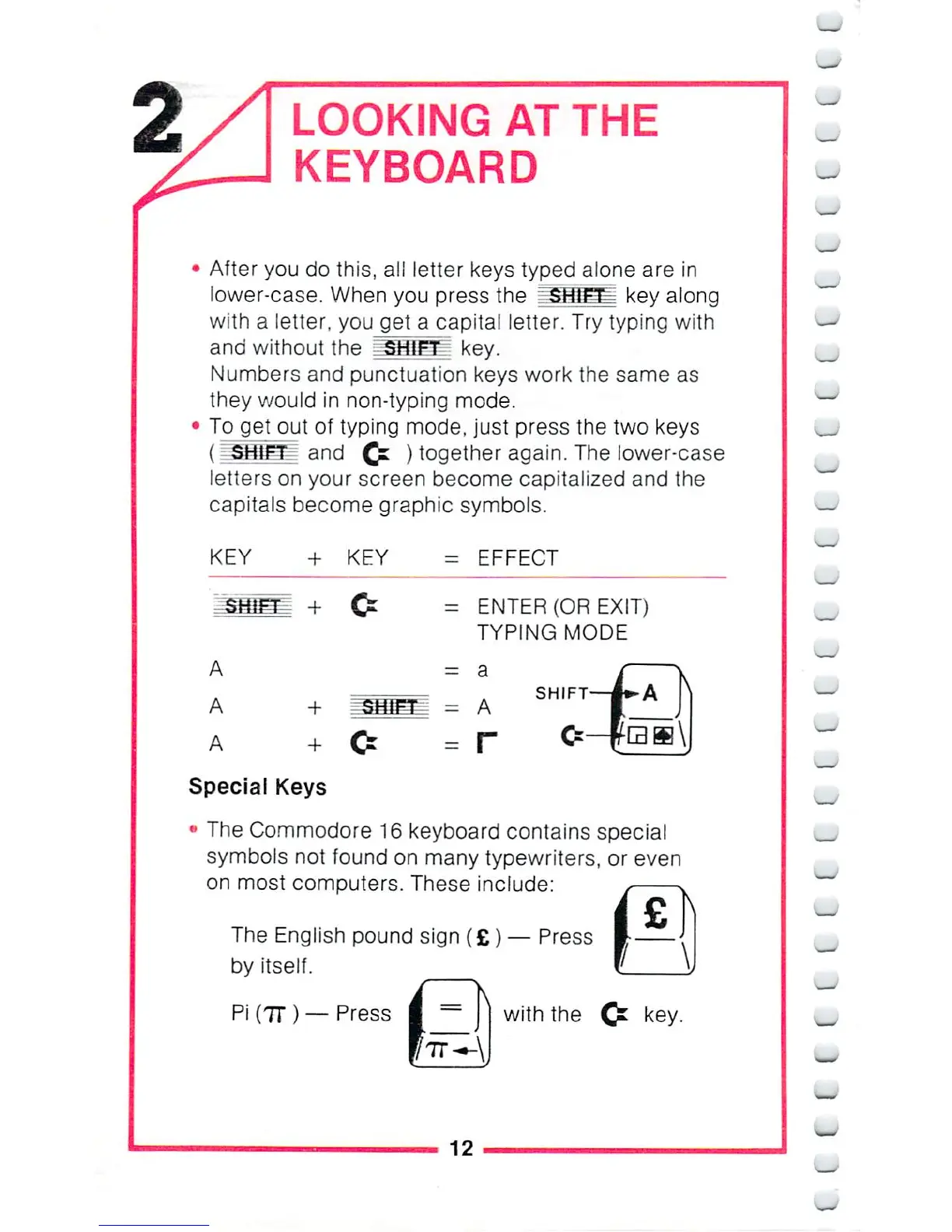
After
you
do
this,
all
letter
keys
typed alone
are
in
lower-case.
When
you
press
the
"SHf^
key
along
with
a
letter,
you
get
a
capita!
letter.
Try
typing
with
and
without
the
^iaigf^
key.
Numbers
and
punctuation
keys
work
the
same
as
they
would
in
non-typing
mode.
To
get
out
of
typing
mode,
just
press
the
two
keys
(^Sffiflf
and
C*
)
together
again.
The
lower-case
letters
on
your
screen
become
capitalized
and
the
capitals
become
graphic
symbols.
KEY
+ KEY
=
EFFECT
=
ENTER
(OR
EXIT)
TYPING
MODE
The
Commodore
16
keyboard
contains
special
symbols
not
found
on
many
typewriters,
or
even
on
most
computers.
These
include:
The
English
pound
sign
(£)
Press
by
itself.
Pi
(7D —Press
I
=
|
with
the
key.
_
_
12
_

Other manuals for Commodore 16

Related product manuals