EasyManua.ls Logo

Commodore PC - Directories

Commodore PC
414 pages
Print Icon
To Next Page IconTo Next Page
To Previous Page IconTo Previous Page
Loading...
14
MS-DOS
User's
Guide
Warning
Some
applications
may
not
let
you
use
all
of
these
symbols.
If
in
doubt
use
only
letters
and
numbers.
u
Avoiding
invalid
filenames
Invalid
Filenames
Although
you
do
have
some
freedom
when
naming
your
files,
there
are
certain
names
that
you
may
not
use,
because
ms-dos
reserves
them
for
specific
devices
that
your
computer
uses.
These
invalid
names
are:
awe,
clocks,
com,
con,
keybdS,
Ipt,
1st,
mil,
prn,
and
scrn$.
You may
use
these
names
as
extensions,
but
remember
not
to
use
them
to
name
your
files.
The
ms-dos
directory
Directories
The
names
of
your
files
are
kept
in
a
directory
on
each
disk.
The
directory
also
contains
information
on
the
sizes
of
the
files,
and
the
dates
they
were
created
and
updated.
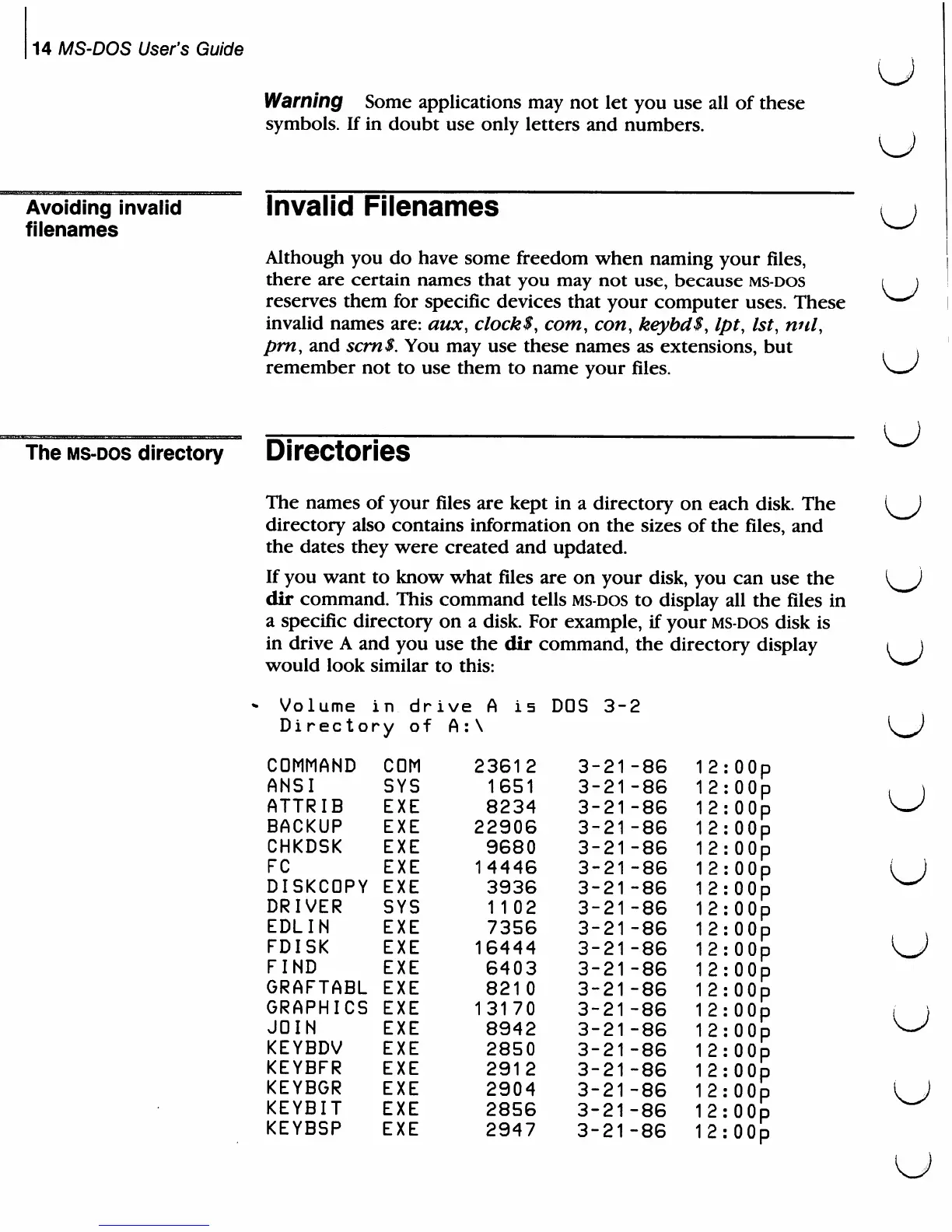
If
you
want
to
know
what
files
are
on
your
disk,
you
can
use
the
dir
command.
This
command
tells
ms-dos
to
display
all
the
files
in
a
specific
directory
on
a
disk.
For
example,
if
your
ms-dos
disk
is
in
drive
A
and
you
use
the
dir
command,
the
directory
display
would
look
similar
to
this:
:
OOp
:
OOp
:
OOp
:00p
:00p
:
OOp
:00p
:00p
:00p
:00p
:00p
;00p
:00p
;00p
:00p
:00p
OOp
OOp
OOp
u
u
u
u
u
volume
j
ltv
dr
Di
rectory
of
COMMAND
ANSI
ATTRIB
BACKUP
CHKDSK
FC
DISKCDPY
DRIVER
EDLIN
FDISK
FIND
GRAFTABL
GRAPHICS
JOIN
KEYBDV
KEYBFR
KEYBGR
KEYBIT
KEYBSP
COM
SYS
EXE
EXE
EXE
EXE
EXE
SYS
EXE
EXE
EXE
EXE
EXE
EXE
EXE
EXE
EXE
EXE
EXE
ive
A
is
A:\
23612
1651
8234
22906
9680
14446
3936
1 1
02
7356
16444
6403
8210
13170
8942
2850
2912
2904
2856
2947
DOS
3-2
3-21-86
'
3-21-86
'
3-21-86
'
3-21-86
'
3-21-86
'
3-21-86
'
3-21-86
'
3-21-86
'
3-21-86
'
3-21-86
'
3-21-86
'
3-21-86
'
3-21-86
'
3-21-86
'
3-21-86
'
3-21-86
'
3-21-86
'
3-21-86
1
3-21-86
1
12
12
12
12
12
12
12
12
12
12
12
2
2
12
2
2
2
2
2
u
u
u

Related product manuals