EasyManua.ls Logo

Commodore Plus 4 - Page 136

Commodore Plus 4
234 pages
Print Icon
To Next Page IconTo Next Page
To Previous Page IconTo Previous Page
Loading...
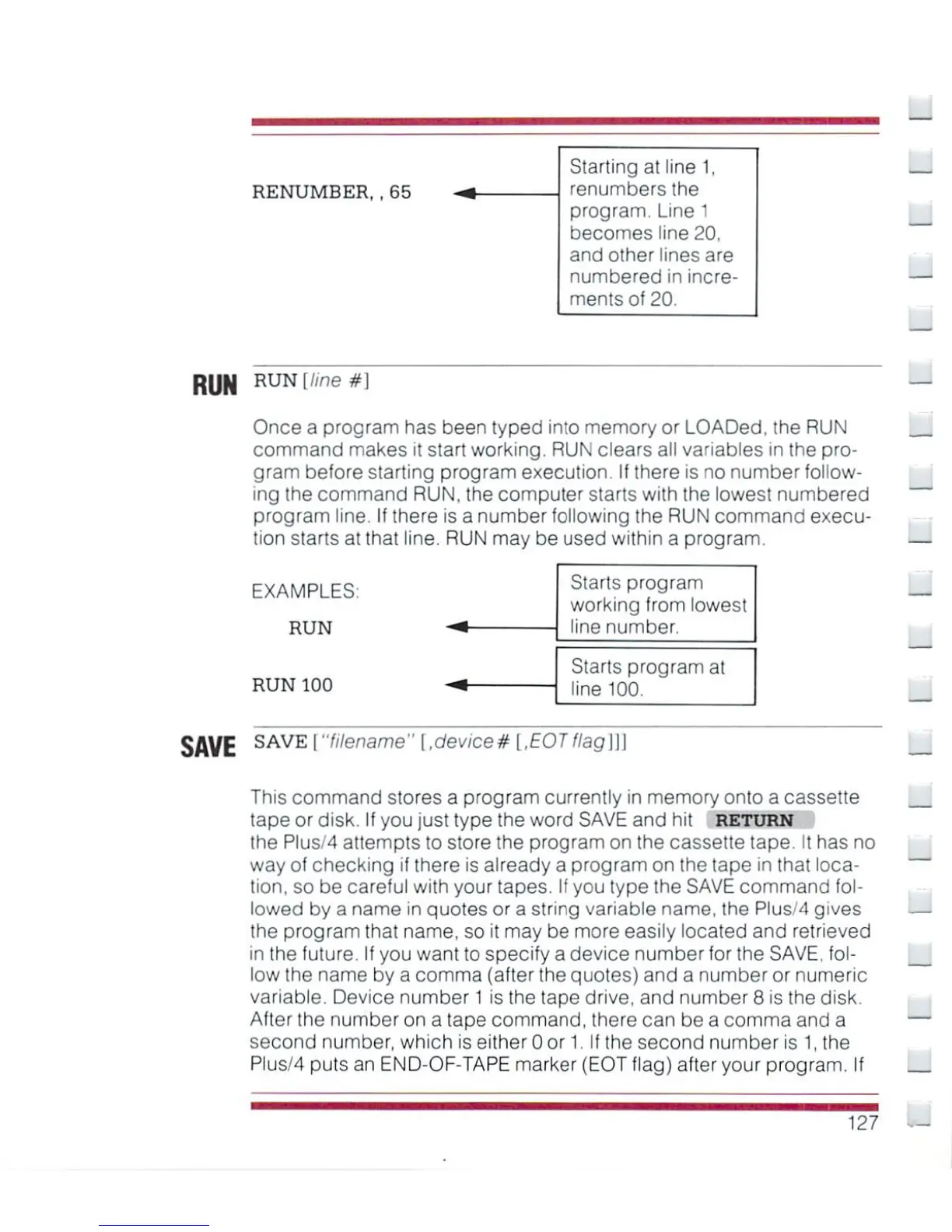
RENUMBER,
.
65
Starting
at line
1,
renumbers
the
program.
Line
1
becomes
line
20,
and
olher
lines
are
numbered
in
incre
ments
of
20.
_
RUN
RUN[//ne#]
Once
a
program
has
been
typed
into
memory
or
LOADed,
the
RUN
command
makes
it
start
working.
RUN
clears
all
variables
in
the
pro
gram
before
starting
program
execution.
If
there
is
no
number
follow
ing
the
command
RUN,
the
computer
starts
with
the
lowest
numbered
program
line.
If
there
is
a
number
following
the
RUN
command
execu
tion
starts
at
that
line.
RUN
may
be
used
within
a
program.
EXAMPLES:
RUN
RUN
100
SAVE
SAVEi"Wename"
[,device#
[,EOTflag\\\
Starts
program
working
from
lowest
line
number.
Starts
program
at
line
100.
_
This
command
stores
a
program
currently
in
memory
onto a
cassette
tape
or
disk.
If
you
just
type
the
word
SAVE
and
hit
RETURN
the Plus/4
attempts
to
store
the
program
on
the
cassette
tape.
It
has
no
way
of
checking
if
there
is
already
a
program
on
the
tape
in
that
loca
tion,
so
be
careful
with
your
tapes.
If
you
type
the
SAVE
command
fol
lowed
by
a
name
in
quotes
or
a
string
variable
name,
the
Plus/4
gives
the
program
that
name,
so
it
may
be
more
easily
located
and
retrieved
in
the
future.
If
you want
to
specify
a
device
number
for
the
SAVE,
fol
low
the
name
by
a
comma
(after
the
quotes)
and
a
number
or
numeric
variable.
Device
number
1
is
the
tape
drive,
and
number
8
is
the
disk.
After
the
number
on
a
tape
command,
there
can be
a
comma
and
a
second
number,
which
is
either
0
or
1.
If
the
second
number
is
1,
the
Plus/4
puts
an
END-OF-TAPE
marker
(EOT
flag) after
your
program.
If
127

Other manuals for Commodore Plus 4

Related product manuals