EasyManua.ls Logo

Commodore Plus 4 - Page 61

Commodore Plus 4
234 pages
Print Icon
To Next Page IconTo Next Page
To Previous Page IconTo Previous Page
Loading...
~
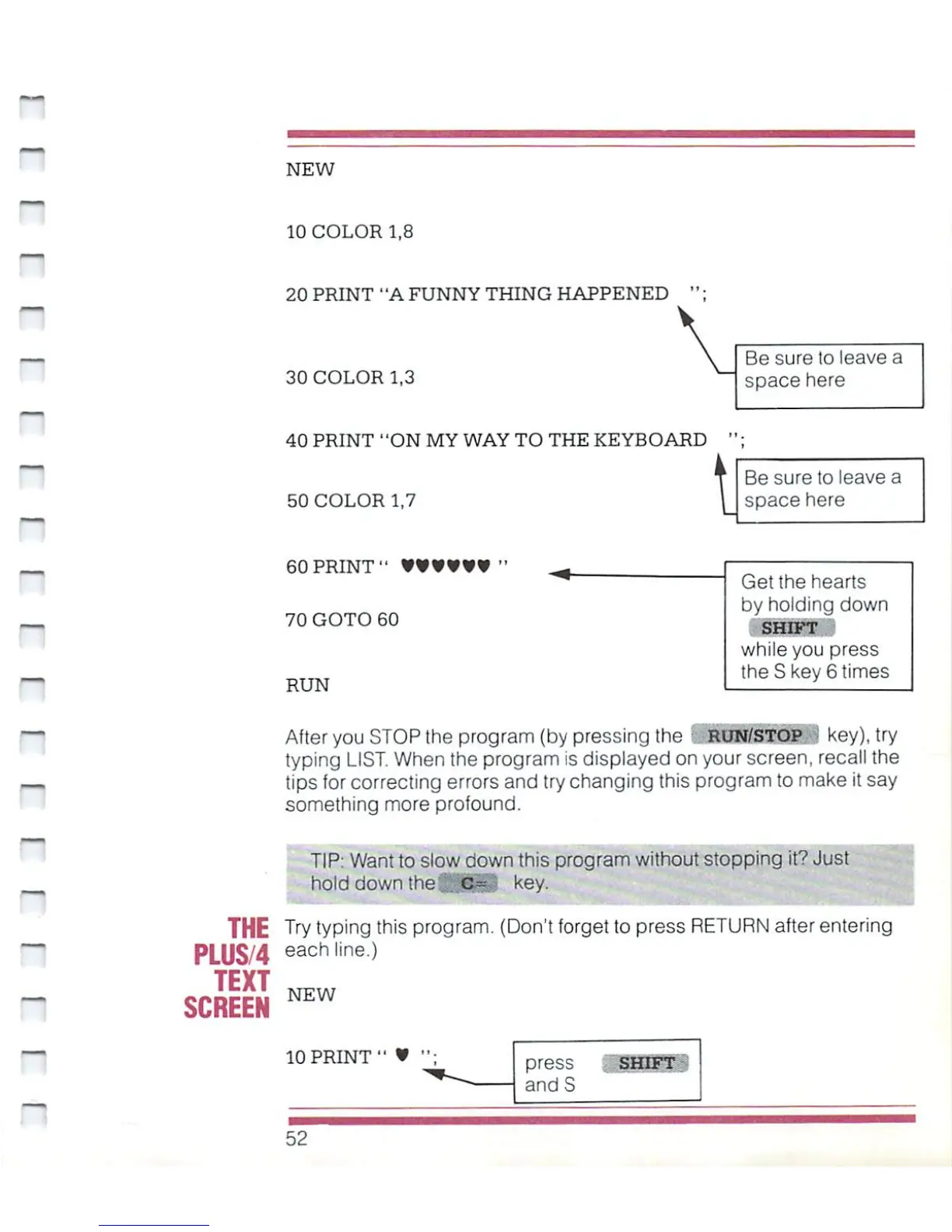
NEW
10
COLOR
1,8
20
PRINT
"A
FUNNY
THING
HAPPENED
30
COLOR
1,3
40
PRINT
"ON
MY
WAY
TO
THE
KEYBOARD
Be
sure
to
leave
a
space
here
50
COLOR
1,7
t
Be
sure
to
leave
a
space
here
n
60
PRINT"
70
GOTO
60
RUN
Get
the
hearts
by
holding
down
SHIFT
while
you
press
the
S
key
6
times
After
you
STOP
the
program
{by
pressing
the
RUN/STOP
key),
try
typing
LIST.
When
the
program
is
displayed
on
your
screen,
recall
the
tips
for
correcting
errors
and
try
changing
this
program
to
make
it
say
something
more
profound.
TIP:
Want
to
slow
down
this
program
without
stopping
it?
Just
hold
down
the
.h^S
key.
THE
Try
typing
this
program.
(Don't
forget
to
press
RETURN
after
entering
PLUS/4
eachline-)
TEXT
SCREEN
NEW
10
PRINT"
press
andS
SHIFT
52

Other manuals for Commodore Plus 4

Related product manuals