EasyManua.ls Logo

Commodore Plus 4 - Page 62

Commodore Plus 4
234 pages
Print Icon
To Next Page IconTo Next Page
To Previous Page IconTo Previous Page
Loading...
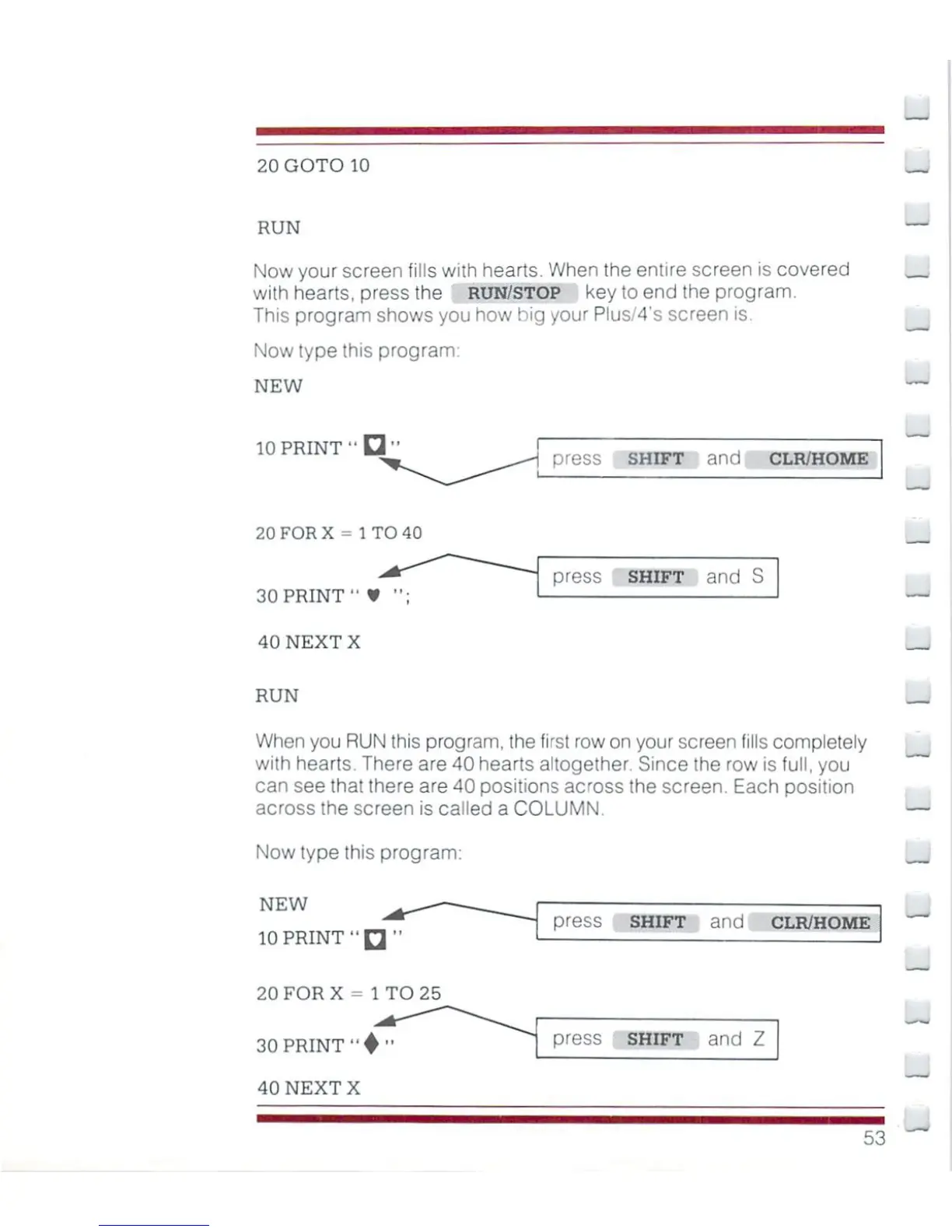
20
GOTO
10
RUN
Now
your
screen
fills
with
hearts.
When
the
entire
screen
is
covered
with
hearts,
press
the
RUN/STOP
key
to
end
the
program.
This
program
shows
you
how
hig
your
Pius/4's
screen
is.
Now
type
this
program
NEW
10
PRINT"
press
shift
and
clr/home
20FORX=
1TO40
30
PRINT"
¥
";
40
NEXT
X
press
SHIFT
and
S
RUN
When
you
RUN
this
program,
the
first
row
on
your
screen
fills
completely
with
hearts.
There
are
40
hearts
altogether,
Since
the
row
is
full,
you
can
see
that
there
are
40
positions
across
the
screen.
Each
position
across
the
screen
is
called
a
COLUMN.
Now
type
this
program:
NEW
10
PRINT"
press
shift
and
clr/home
20
FOR
X
-
1
TO
25
30
PRINT
"♦
40
NEXTX
press
shift
and
Z

Other manuals for Commodore Plus 4

Related product manuals