EasyManua.ls Logo

Commodore Plus 4 - Page 63

Commodore Plus 4
234 pages
Print Icon
To Next Page IconTo Next Page
To Previous Page IconTo Previous Page
Loading...
RUN
When
you
run
this
program,
the
first
column
on
your
screen
fills
with
diamonds.
There
are
25
diamonds
printed,
but the
first
three
disappear
al
the
top
of
the
screen
because
the
word
READY
surrounded
by
two
blank
lines
always
appears
at
the
end
of
the
program.
There
are,
then,
25
rows.
A
little
deductive
logic
tells
you
that
your
Plus/4
has
40
col
umns
and
25
rows.
The
Plus/4
has
1000
different
positions
on
the
screen
for letters,
numbers,
graphic
symbols,
etc.
NOTE:
Sometimes
you'll
type
a
particularly
long
line
on
your
Plus/4,
such
as
this:
10
PRINT
"I
LIKE
YOUR
TOUCH
ON
MY
KEYBOARD.
DO
YOU
COME
HERE
OFTEN?'1'
(Thai's
quite
a
line—over
50
characters
long!)
You'll
notice
that
as
you
type
this,
you
run
out
of
room
on
one
row.
But
keep
typing;
the
Plus/4
automatically
moves
on
to
the
next
row
and
continues
printing
there
until
your
line
is
finished.
You
can
type
as
many
as
80
characters
on
one
program
line
{up
to
two
full
rows).
Now
try
RUNning
this
one
line
program.
The
message
is
printed
on
two
rows.
If
your
line
is
longer
than
one
row,
the Plus/4
lets
it
spill
over
to
the
next
row.
The
Plus/4
considers
the
line
ended
when
you
press
the
RETURN
key.
not
when
you
type
to
the
end
of
the
row.
You'll
get
used
to this
as
you use
your
Plus/4.
Now
type
this
program:
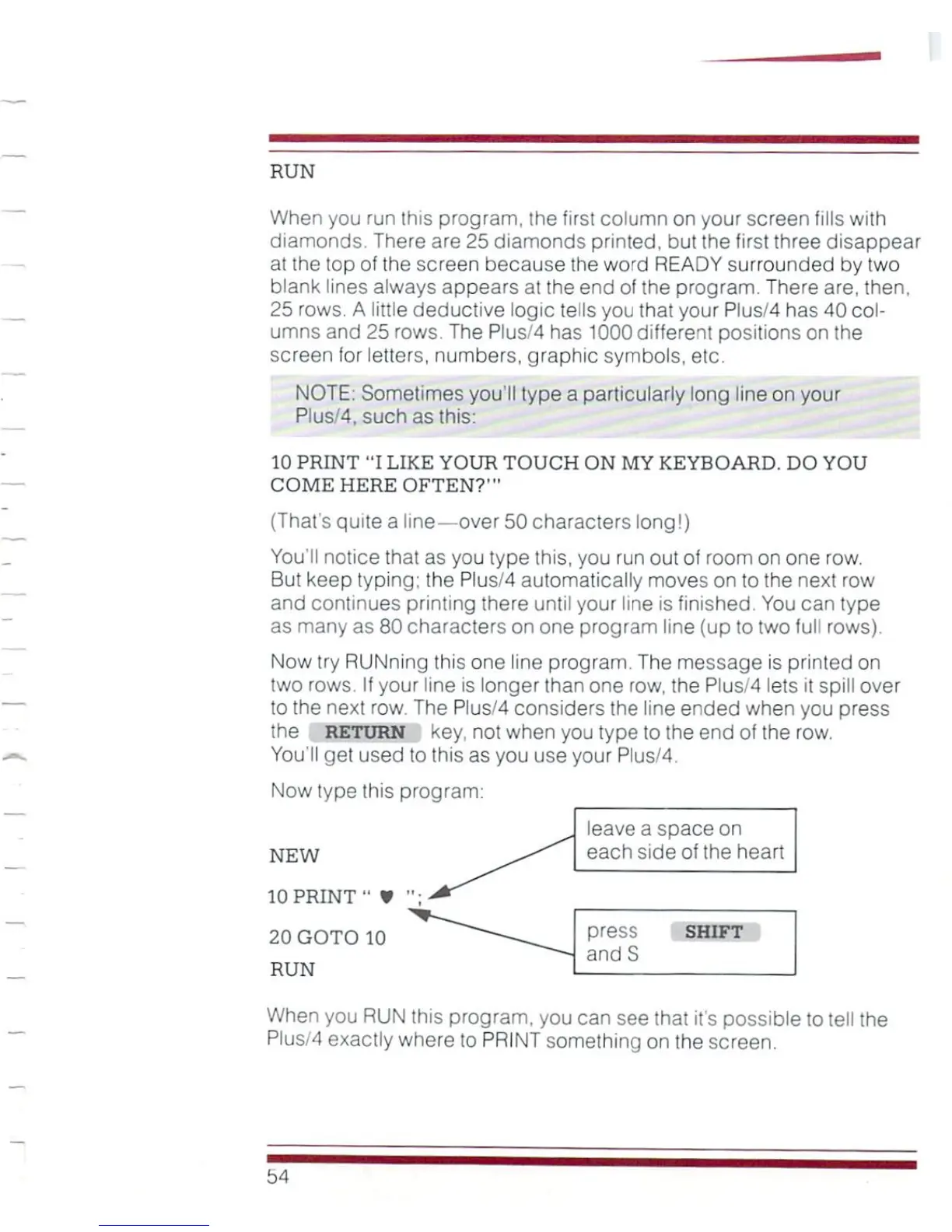
NEW
10
PRINT1'
¥
20
GOTO
10
RUN
leave
a
space
on
each
side
of
the
heart
press
shift
andS
When
you
RUN
this
program,
you
can
see
that
it's
possible
to
tell
the
Plus/4
exactly
where
to
PRINT
something
on
the
screen.

Other manuals for Commodore Plus 4

Related product manuals