EasyManua.ls Logo

Commodore VIC-20 - Screen Editing

Commodore VIC-20
308 pages
Print Icon
To Next Page IconTo Next Page

To Previous Page IconTo Previous Page
Loading...
OPEN
OPEN
OPEN
OPEN
OPEN
OPEN
OPEN
1,
1,
1,
1,
1,
1,
1,
1, 1,
1,
2.
2,0,
3
4.0,
4,
7,
5,0,
"name
"name"
â– â– string"
'"string"
"'string"
"string"
Write
to
cassette
Write
to
tape,
put
EOT
marker
after
file
Open
channel
to
RS232
device
Read/write
screen
Send
upper
case/graphics
to
printer
Send
upper/lower
case
to
printer
Send
upper/lower
case
to
printer,
device#
switched
OPEN
1,
8,
15,
"command11
Send
command
to
disk
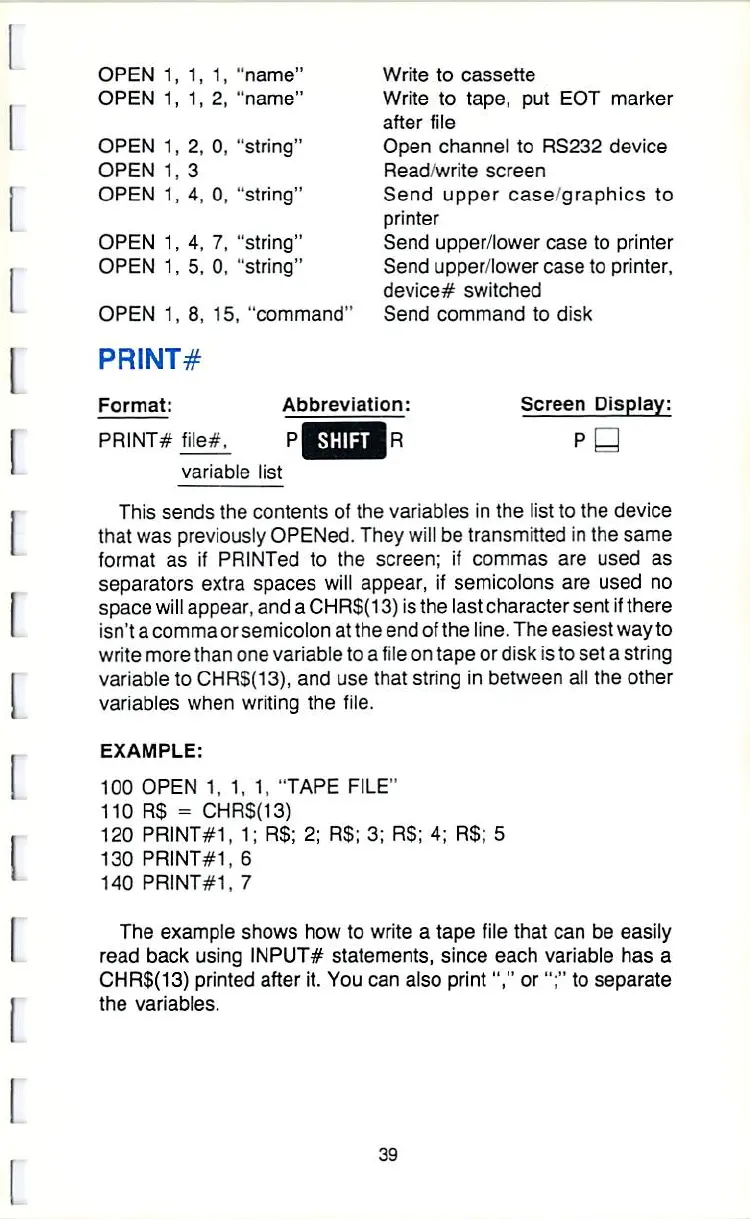
PRINT#
Format:
PRINT#
file*.
Abbreviation:
Screen
Display:
P
â–¡
variable
list
This
sends
the
contents
of
the variables
in
the
list
to
the
device
that
was
previously
OPENed.
They
will
be
transmitted
in
the
same
format
as
if
PRINTed
to
the
screen;
if
commas
are
used
as
separators
extra
spaces
will
appear,
rf
semicolons
are
used
no
space
wilE
appear,
and
a
CHR$(13)
ssthe
last
character
sent
\i
there
isn't
a
comma
orsemicolon
at
the
end
of
the
line.
The
easiest
way
to
write
more
than
one
variable
to
a
file
on
tape
or
disk
is
to
set
a
string
variable
to
CHR$(13),
and
use
that
string
in
between
all
the
other
variables
when
writing
the
file.
EXAMPLE:
100
OPEN
1,
1, 1,
"TAPE
FILE"
110
R$
-
CHRS{13)
120
PRINT#1r
1;
R$;
2;
R$;
3;
R$;
4;
RS;
5
130
PRINT#1h
6
140
PRINT#1,
7
The
example
shows
how
to
write
a
tape
file
that
can
be
easily
read
back
using
JNPUT#
statements,
since
each
variable
has
a
CHR$(13)
printed
after
it.
You
can
also
print1J,"
or";"
to
separate
the
variables.
39

Other manuals for Commodore VIC-20

Related product manuals