860660202 Rev. B www.commscope.com
Instruction Sheet
© 2021 CommScope, Inc. All Rights Reserved Page 8 of 9
Step 3 – Install Transition Box (TB) cover
1. Fix the connectivity label to the inside or outside of cover and record the channel
information as needed.
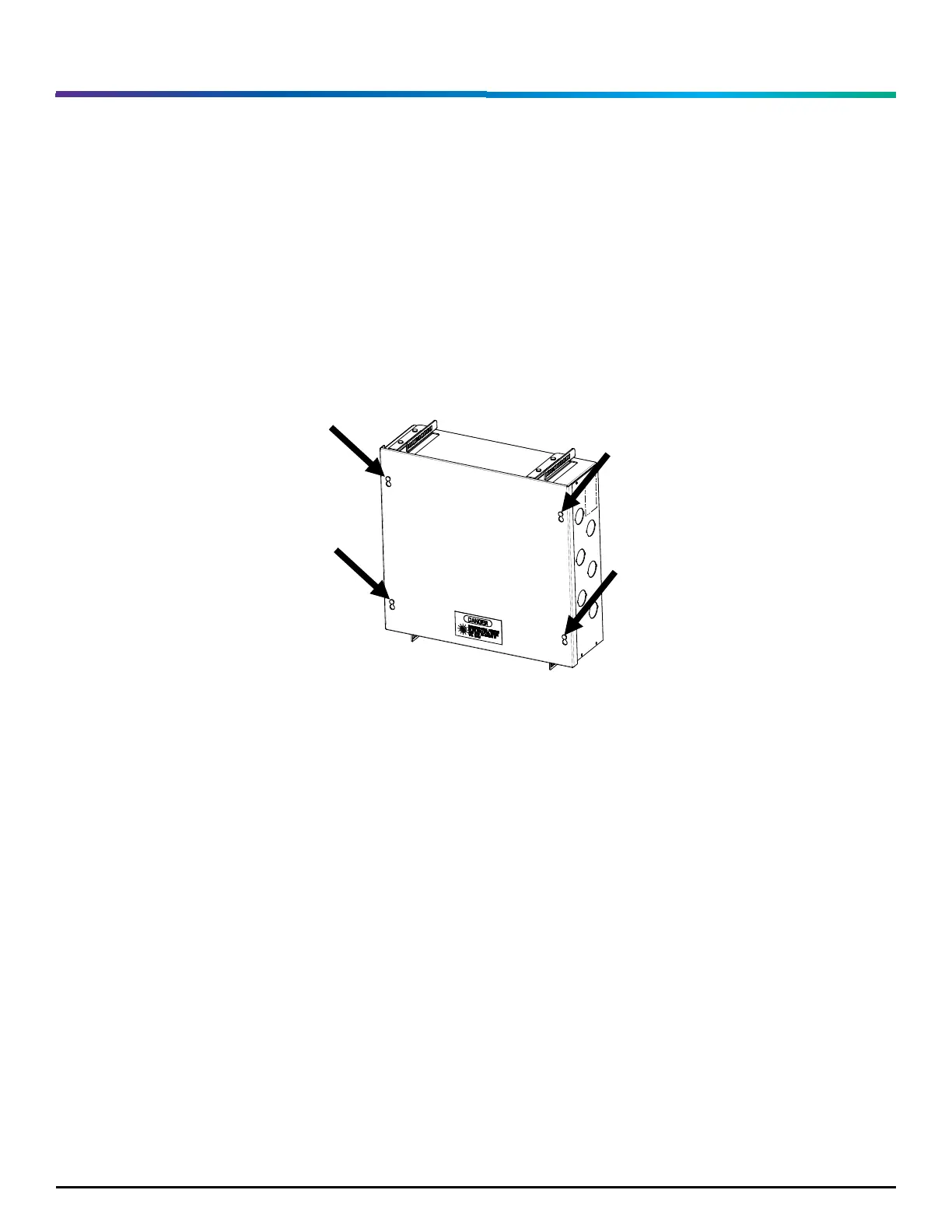
2. Place the cover over the loose screw heads with the warning label facing outward and slide
into place, tighten the cover screws to secure, as shown in Figure 12.
Revision history
• Rev. A – Initial release
• Rev. B – 40132706CMO


 To Next Page