This document serves as a user manual for the CommuniTake CTIP401 4G Smart Phone, providing essential instructions for setup, safe use, and maintenance.
Function Description:
The CTIP401 is a 4G smart phone designed for communication and multimedia use. It supports dual SIM cards (GSM + GSM) and offers various connectivity options including Wi-Fi and Bluetooth. The device features a front camera and a rear camera with flash, allowing for photography and video recording. It also includes a fingerprint key sensor for enhanced security. The phone is powered by a 3000mAh battery, providing ample usage time.
Important Technical Specifications:
- Processor: Octa-core 1.5GHz processor
- Display: 5.7-inch HD+ IPS screen with a resolution of 720x1440 pixels
- Storage: 32 GB internal storage
- RAM: 3 GB
- Expandable Memory: Up to 32 GB via TF card (SD card)
- Cameras:
- Front Camera: 2.0 MP
- Rear Camera: 5.0 MP / 0.3 MP with Flash Light
- Battery: 3000mAh
- Dimensions: 155.1 x 7.3 x 8.6 mm
- Sensors: G-sensor, Fingerprint sensor (Yes), Proximity sensor
- SIM Slots: Dual SIM (GSM + GSM)
- SIM Size: SIM1: Nano
- Connectivity:
- Wi-Fi
- Bluetooth
- GPS: Yes with A-GPS
- USB Connectivity: Type-C 2.0
- Sound Port: Type-C
- Power Adaptor: AC In 100-240V.50-60HZ, DC Out DC 5V
- Network Support: 4G, 3G, 2G
Usage Features:
- Charging: The device can be charged using the supplied DC+5V adaptor and USB cable connected to a wall socket (AC 180-240V) or via a USB cable connected to a computer (USB 2.0 connector recommended). A "Battery is low" prompt will appear when the battery capacity is low, indicating the need for immediate charging.
- SIM/SD Card Installation:
- Turn off the phone and unplug external power.
- Use the provided needle to gently press into the round hole of the SIM slot to eject it.
- Place the SIM card(s) or TF card (SD card) onto the SIM slot.
- Push the SIM slot back into the device.
- To remove, repeat step 2.
- Warning: Do not insert or remove SIM/SD cards while the device is connected to external power to prevent damage.
- Power On/Off: Long press the Power On/Off key to turn on the device. To turn off, long press the Power On/Off button and then tap "Power Off".
- Screen Lock/Unlock: Short press the Power On/Off key to lock the screen. Swipe up the icon to unlock.
- Calls Operations:
- Mute: Press the mute icon to mute the voice during a call.
- Hands-free: Press the hands-free icon to switch on the hands-free speaker.
- New call: Press the "+" icon to add a new attendee to a call.
- End call: Press the end call icon to end the ongoing call.
- Data Connectivity:
- Access via: Settings > Network & Internet > SIM cards. Select a SIM for cellular data.
- To turn off data connection, tap the data icon near SIM slot 1 or 2.
- Note: Data connection requires a SIM card.
- Wi-Fi Connectivity:
- Access via: Settings > Network & Internet > Wi-Fi.
- Tap Wi-Fi off to turn on and search for networks.
- To turn Wi-Fi off, tap the Wi-Fi icon again.
- To add a hidden SSID: Go to Settings > Network & Internet > Wi-Fi > Add Network. Key in the SSID, tap Advanced Options, and change "Hidden Network" from "No" to "Yes".
- Bluetooth Connectivity:
- Access via: Settings > Connected devices.
- Tap "Pair New Device" to search for other Bluetooth devices.
- Pair the desired device.
- Tap "Bluetooth On" to turn off Bluetooth.
- USB Computer Connection:
- Turn on the device and connect it to a computer using the USB cable.
- A USB icon will appear on the top of the screen.
- Pull down from the top screen and touch the USB icon to access the USB connection screen.
- Select the desired connection type (e.g., File Transfer, USB tethering, MIDI, PTP, No data transfer) by touching the corresponding option.
Maintenance Features:
- Battery Care:
- Do not throw the battery into fire; it may cause fire or explosion.
- Avoid placing the battery with metal objects to prevent liquid leakage, overheating, fire, or explosion.
- Do not use or store the battery near fire, ovens, or high-temperature areas.
- If the battery shows abnormal temperature, color change, distortion, or other unusual phenomena during charging or use, stop using the device and replace the battery immediately.
- Do not charge the battery continuously for more than 24 hours.
- Risk of explosion if the battery is replaced with an incorrect type.
- Dispose of used batteries according to local municipality instructions.
- General Device Care:
- Do not expose the device to strong magnetic fields.
- Power off the device and disconnect the charging cable before cleaning.
- Do not use chemical cleaning agents. Use a damp, anti-static soft cloth for cleaning.
- Do not attempt to open or repair the device; only authorized personnel should perform repairs.
- Only use accessories approved for the device.
- Safety Guidelines:
- If the device's safety is compromised, it must be immediately withdrawn from use.
- Avoid touching the screen with sharp objects to prevent scratches.
- Do not expose the device to excessive temperatures (operating temperature: -10°C to 40°C).
- Do not charge the device near flammable or explosive substances, or in environments with excessive dust, humidity, or extremely high or low temperatures.
- Do not charge the device near any flammable or explosive substances or in environments with much dust, humidity or excessively high or low temperatures.
FCC Warning:
This device complies with Part 15 of the FCC Rules. Operation is subject to two conditions: (1) it must not cause harmful interference, and (2) it must accept any interference received, including interference that may cause undesired operation. Any changes or modifications not expressly approved by the party responsible for compliance could void the user's authority to operate the equipment. The device has been tested and found to comply with Class B digital device limits. If the equipment causes harmful interference to radio or television reception, users are encouraged to try to correct the interference by reorienting the receiving antenna, increasing the separation between equipment and receiver, connecting the equipment to a different circuit, or consulting a dealer/radio/TV technician.
The CTIP401 (FCC ID: 2AUHC-CTIP401) meets government requirements for exposure to radio waves. The SAR limit for USA (FCC) is 1.6 W/kg averaged over one gram of tissue. The highest SAR value reported for use at the ear is 0.763 W/kg, and for body-worn operation is 0.948 W/kg. For body-worn operations, a minimum separation distance of 10mm must be maintained between the user's body and the handset (including the antenna). Third-party belt-clips, holsters, and similar accessories should not contain metallic components and must meet RF exposure requirements. Only supplied or approved antennas should be used.

 Need help?
 General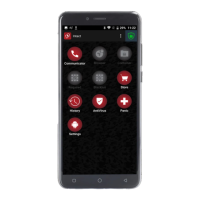

 To Next Page