ComNav 1101 Autopilot
Instructions for changing basic parameters follow. Speed Trip Point,
Compass Offset, NMEA Checksum and Special Turns are addressed
later in this manual.
Brightness
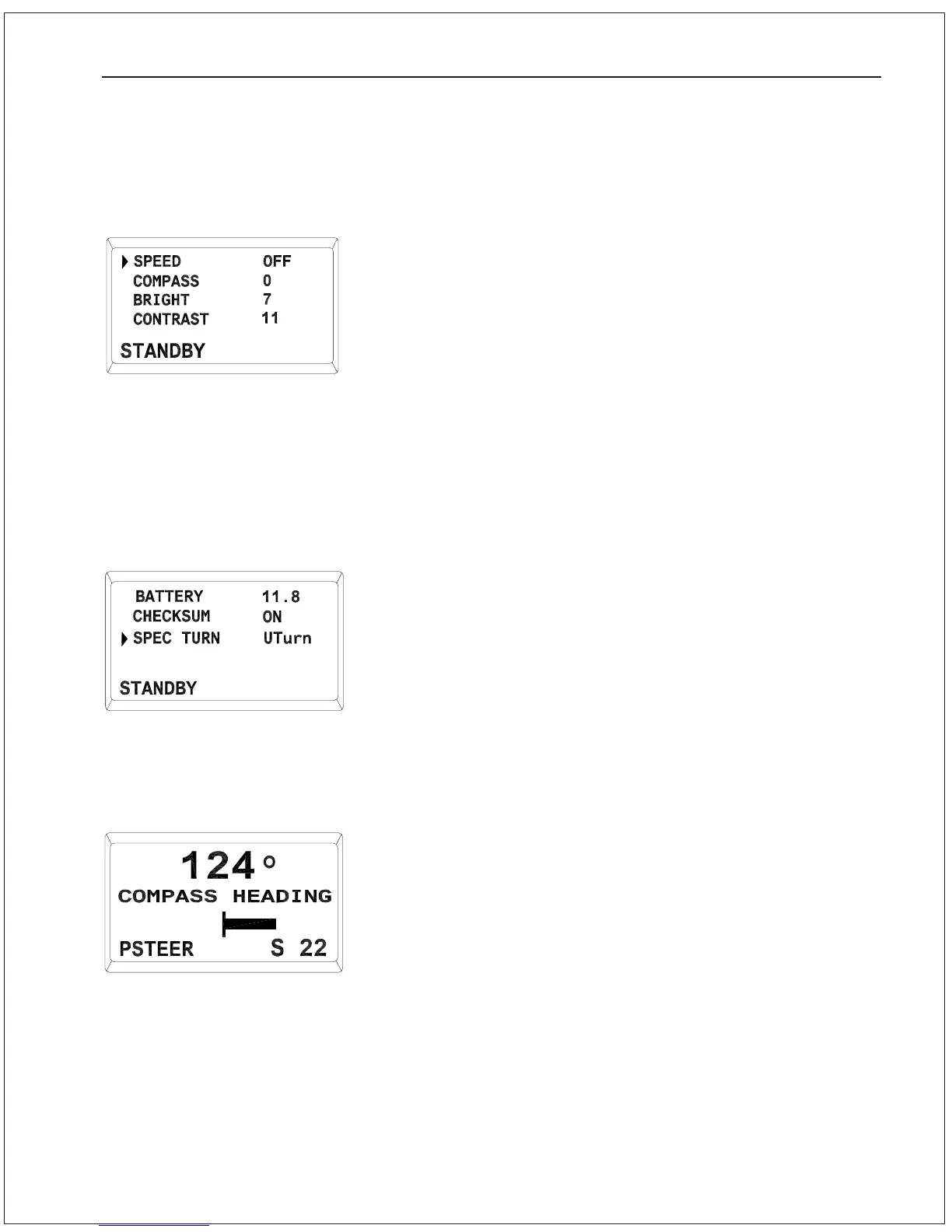
The brightness setting changes the illumination of the display. In
well-lit areas you may want a lower brightness setting, while in
darker areas you may want a higher brightness setting.
To change the brightness, use the ADJUSTMENT KNOB to move the
cursor until it is pointing at Bright, and press the STBY/OFF
button once. While the number is flashing you may change the
brightness level.
For no illumination at all, turn the brightness setting to 0, and for full
illumination turn the brightness to 7.
Contrast
To change the contrast, use the ADJUSTMENT KNOB to move the
cursor until it is pointing at Contrast, and press the STBY/OFF
button. While the number is flashing you may change the contrast
level.
The contrast setting ranges from 5 (dark background) to 13 (light
background).
Battery Voltage
Displays the battery voltage supplied to the Autopilot.
This is a read-only field, and cannot be changed.
POWER STEER Mode
The next operating mode is POWER STEER. To enter POWER STEER
mode, press and hold the POWER STEER button until a beep
sounds. In this mode, the display still shows the actual compass
heading, but now also has a graphical Rudder Angle Indicator (RAI)
in the center of the display as well as a digital RAI in the bottom
right corner.
The PORT and STARBOARD DODGE buttons are used to control the
rudder while in POWER STEER mode.
With hydraulic steering, you may still manually turn the rudder. If you
have mechanical steering, the only operating mode where you can
manually turn the rudder is STANDBY.
STANDBY Menu
STANDBY Menu
Display in POWER STEER Mode
GETTING STARTED 5 - 3


 To Next Page
 Loading...






