ComNav 1101 Autopilot5 - 4 GETTING STARTED
Menu
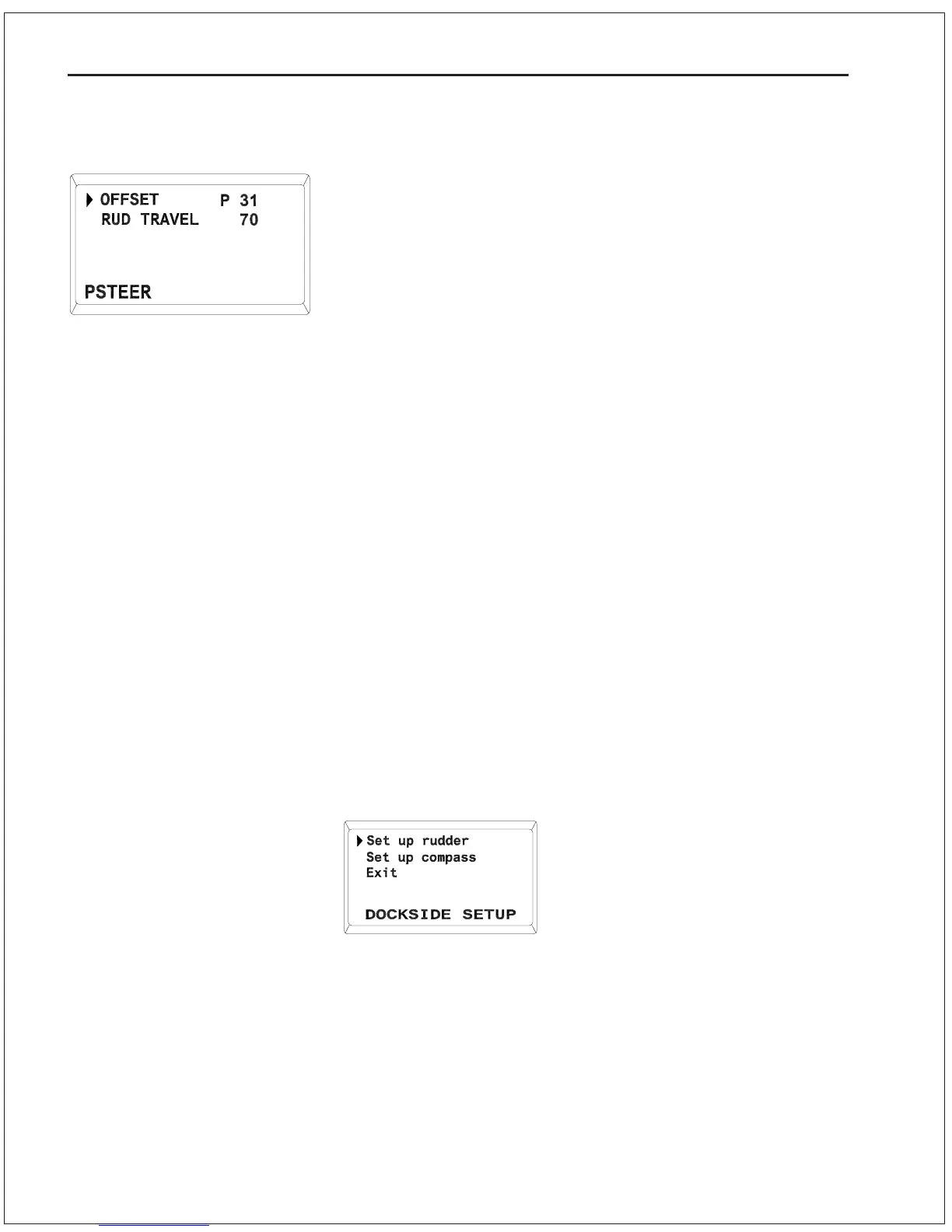
Double press the POWER STEER button while in POWER STEER
mode to enter the Power Steer menu. Turning the ADJUSTMENT
KNOB will move the cursor up and down letting you select the menu
item.
You will use the Power Steer menu to adjust the Offset and Rudder
Travel settings for the digital rudder angle indicator during the setup
procedure.
Dockside Setup
The Dockside Setup procedures outlined below must be performed
prior to using your Autopilot for the first time. After successfully
completing the Dockside Setup, your Autopilot will be ready for Sea-
Trials.
There are two methods of putting the Autopilot into DOCKSIDE
SETUP mode. One method is simply referred to as a Reset. A
reset allows you to change specific memories, such as the type of
compass that you have, without affecting other settings, such as
rudder limits. The second method, called a Full Reset, sets all
internal memories to factory default values.
To perform a normal Reset
1. Ensure that the Autopilot is turned off.
2. Press and hold the two DODGE buttons and the STBY/OFF
button simultaneously until the Autopilot beeps. The display will
show:
POWER STEER Menu
The Autopilot is now in the DOCKSIDE SETUP mode.



 To Next Page