5. Extended functions
11
5.1.5 Automatic re-start
Danger
In this operating mode, the compressor may start
automatically at any time and after an unlimited -
length of power loss.
Always fit the compressor with warning signs, lock
the room containing the compressor and instruct
your staff.
Fit the main switch specified by EN60204 and fit the
appropriate warning signs on it.
After a power loss that has not exceeded the preset
time, the unit can re-start automatically.
The settings needed must be undertaken in the
[ CONTROL MENU ] sub-menu. The relevant menu
items are:
Use the AUTO RESTART ON menu item to activate the
automatic re-start.
You can state the time for which a power loss may last
and after which the compressor is to automatically start
up in the POWER LOSS TIME menu item. The time can
be set within a period of 2 - 999 seconds. If the power
loss lasts longer than the time you have set, the unit
does not automatically re-start. The POWER LOSS. fault
message then appears on the display
You can also program a start-up delay of 1 – 60 seconds.
This is set in the START-UP DELAY menu item and
ensures a staggered start-up if the unit features several
compressors. This in turn ensures that the power
supply is not loaded unnecessarily.
5.1.6 Unlimited autom. re-start after
power loss
The control system can perform an automatic re-start
after any power loss period.
For this to be done, you must have read the following
safety notices and submit the approval for the unlimited
automatic re-start by entering a code.
Please request the required code from the CompAir
customer service.
Danger
In this operating mode, the compressor may start
automatically at any time and after an unlimited -
length of power loss. Check the safety notices
(e.g. EN1012-1, EN60204) that apply in your country
to find out whether you can run an unlimited autom.
re-start and what safety precautions must be taken.
Always fit the compressor with warning signs, lock
the room containing the compressor and instruct
your staff.
Fit the main switch specified by EN60204 and fit the
appropriate warning signs on it.
To approve the unlimited automatic restart, proceed as
follows:
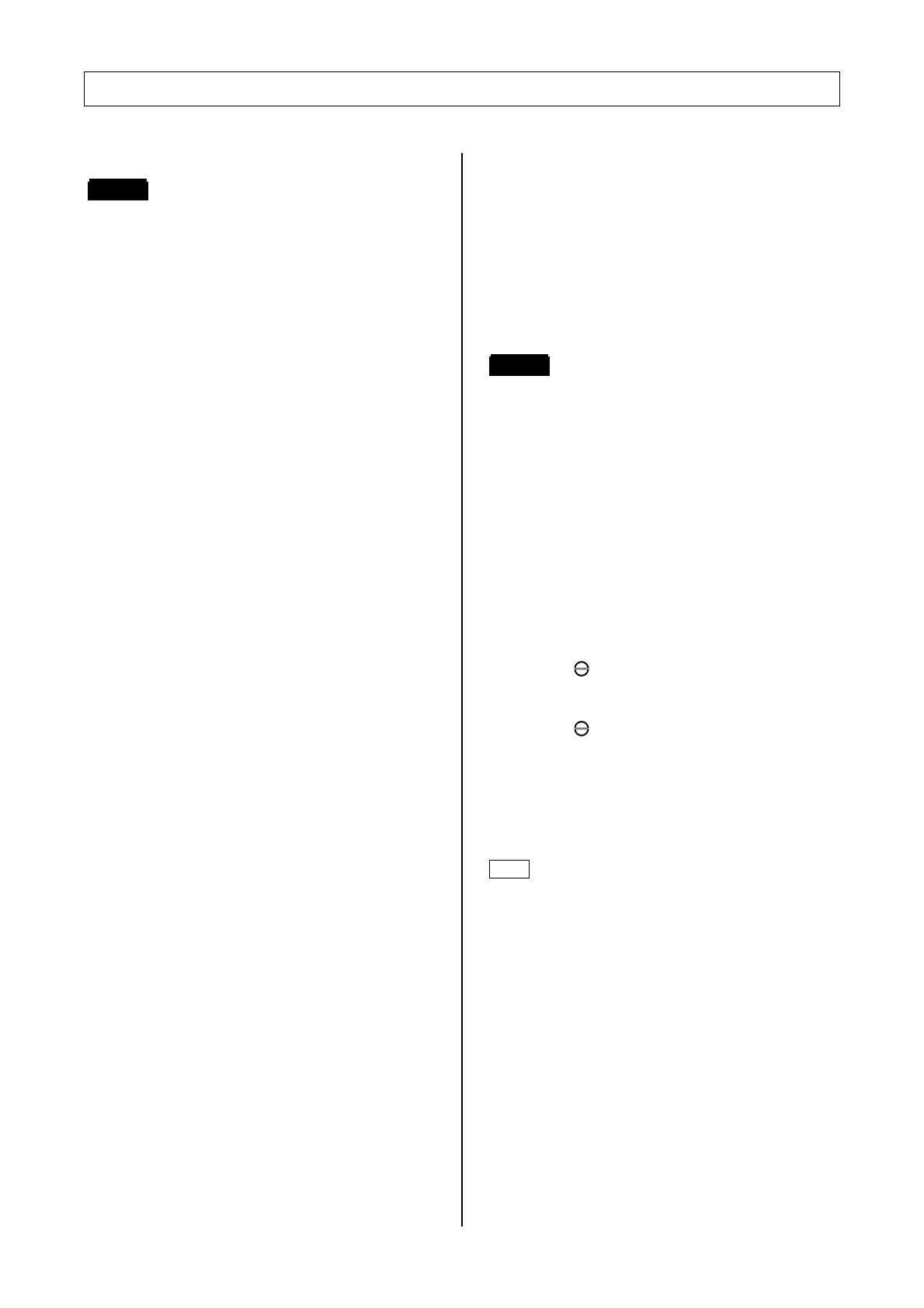
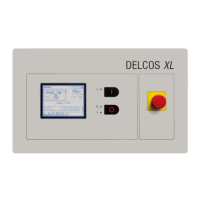
1. Press the
key for 5 seconds.
2. Use the
or
keys to enter the code
3. Press the key to transfer the set code
After approval, the menu item for the max. power loss
time can also be programmed to [POWER LOSS TIME
–s]. This is the setting for an unlimited automatic re-
start.
If you re-enter the code, you cancel the approval.
Note
You will find more details about the code in section 5.6


 To Next Page