13
K06315 | v. 21/07/2015 | Ref. quality process 002/03 | ORIGINAL INSTRUCTIONS
9.2.Utilization
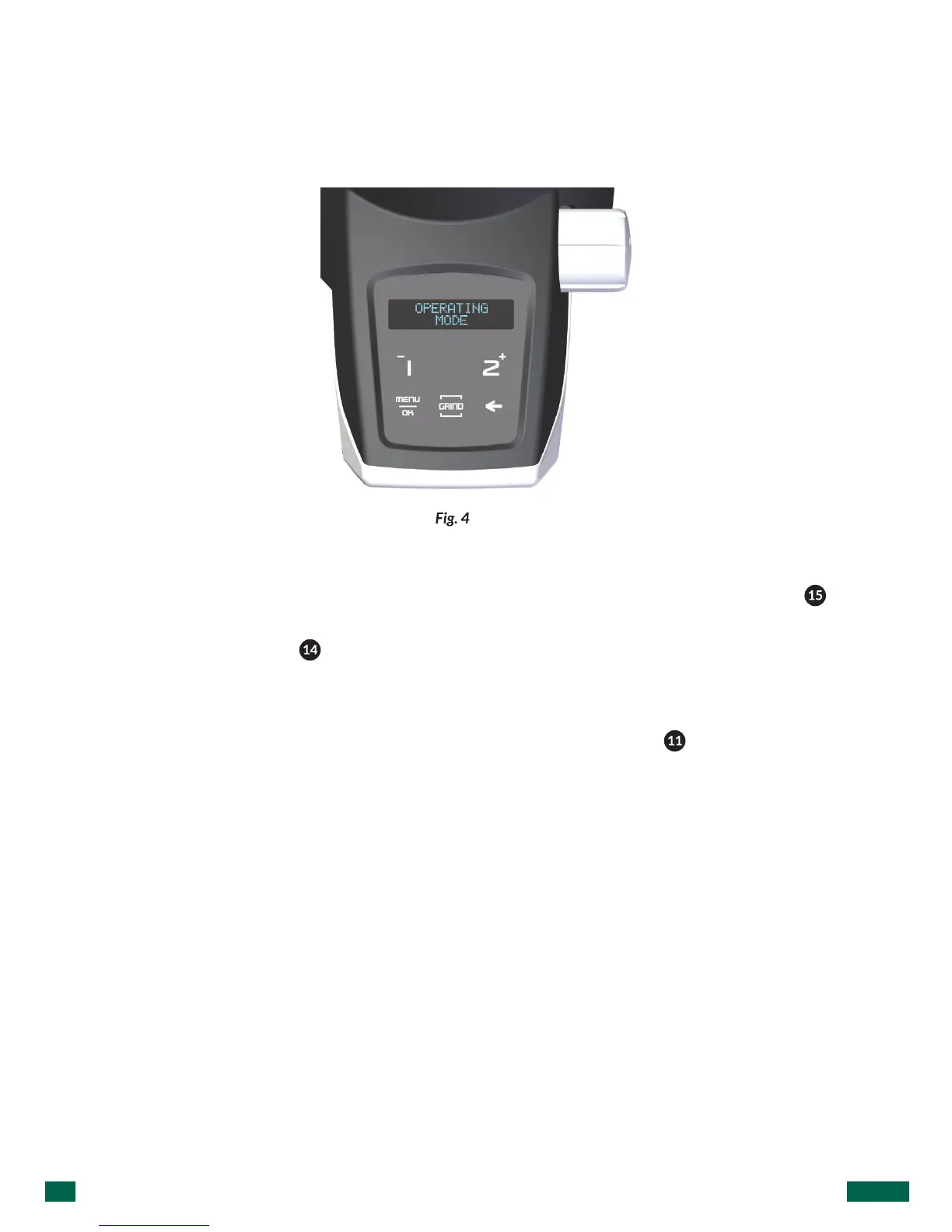
Through the program menu (Fig. 4), it is possible to select two distinct functional
modes: AUTOMATIC, PRESLECT and MANUAL.
9.3.Automaticmode
In this mode, user should press/release the appropriate numeric LCD icon ( )
once for a single dosis, twice for a double dosis and three times por a triple dosis.
The display screen ( ) will indicate an icon representing either a single, double
or triple* dose, along with the programmed time of the dose counting down from
totaldosetimetozero.
Also, once the dose cycle has been activated, the dosis button ( ) can be pressed/
released, to suspend the cycle. If the dose pulse button is pressed/released again,
within 8 seconds, the cycle will continue from the point at which it was suspended. If
more than 8 seconds pass, the dose cycle will start a new, complete dose cycle.
Pausing the grind cycle can be done by selecting MENU / SET UP SETTINGS / SET UP
GRIND PAUSE.
* (only for models with possibility to offer three doses).



 To Next Page