| |- Fixed Disk Drive
| | |- Drive Enclosure
| | |- Memory Shield
| | |- Shock Mounts
| |- Diskette Drive
| |- Drive Mounting Plate
||
5.11 | |- System Board
|
5.12 |- Rear Connector Cover
|
5.13 |- Rear Bezel
|
5.14 |- VGA Backlit Display
|- LCD Panel
|- Display Shield Assembly
|- Display Backlight Inverter Board
|- VGA Backlit Display Enclosure
|- Hinges
Chapter 5.3 PREPARATION PROCEDURES
Before beginning the removal and replacement procedures, complete the
following steps:
1. Turn off the computer.
2. Disconnect all external devices (printer, monitor, and so on) from the
computer.
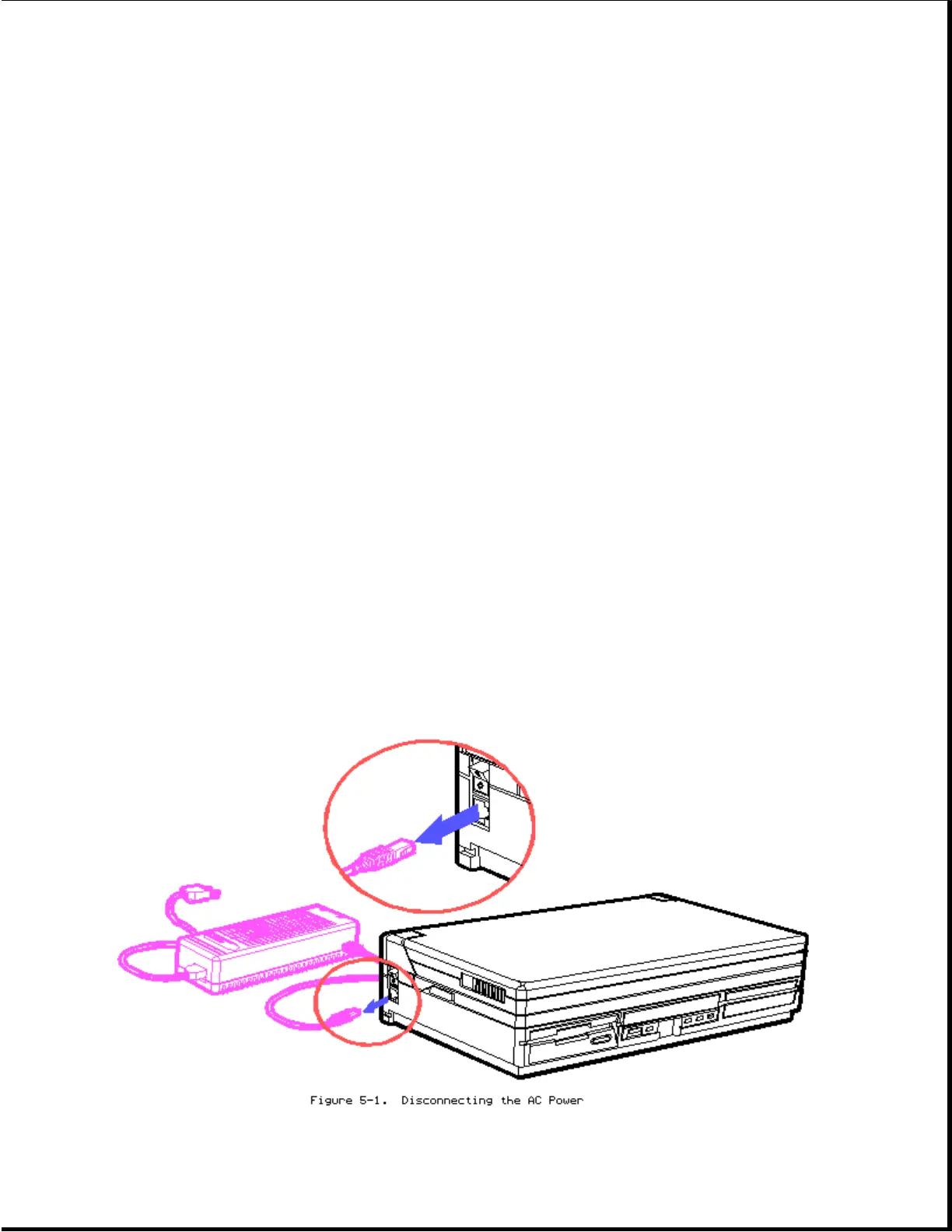
3. Disconnect the AC Adapter from its power source, then from the computer.








 To Next Page