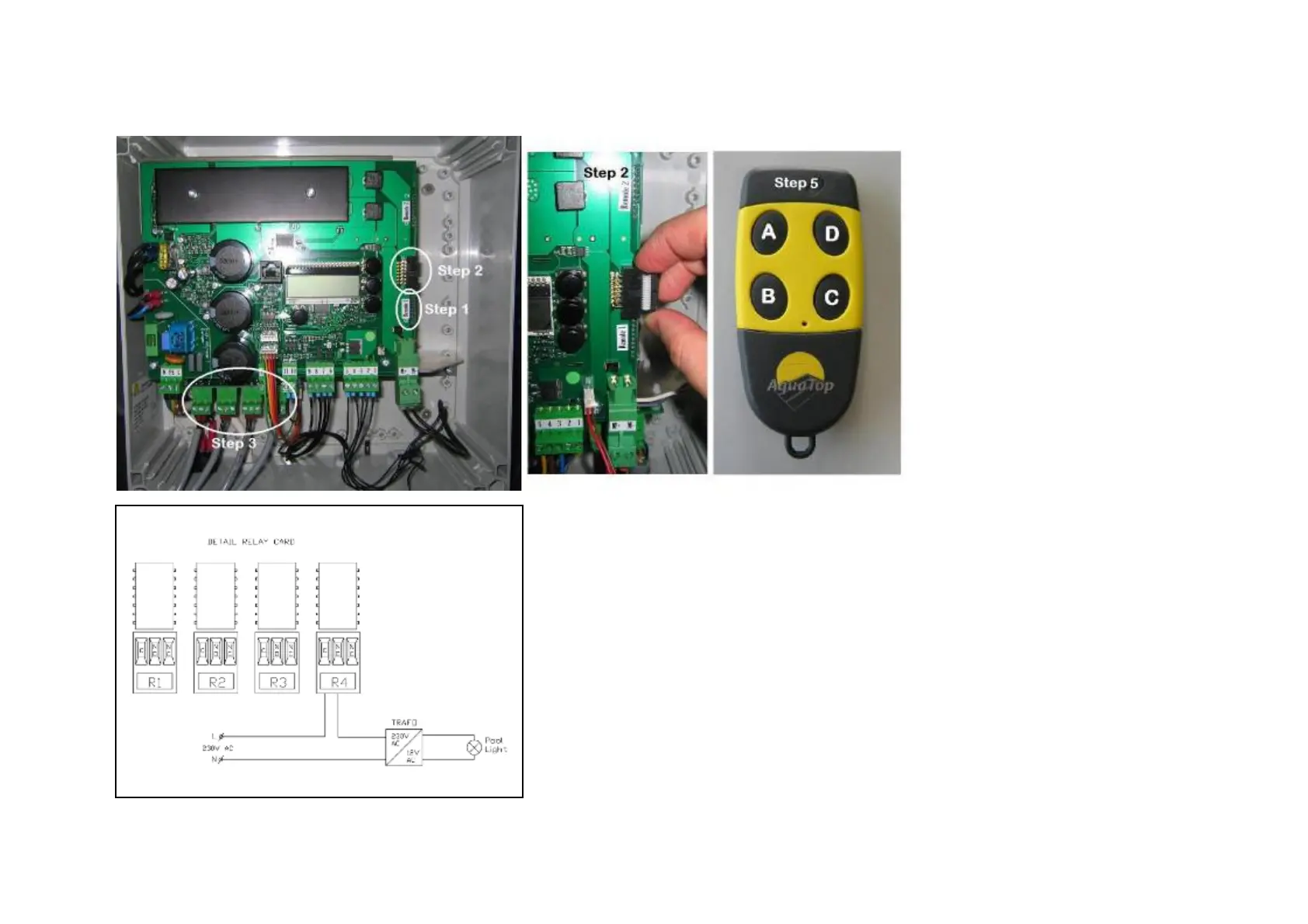
VII.6 : Remote control
Step 1: Plug the remote control receiver on “Remote 1”
Step 2: Make the extra connection between receiver and J8
with the small data cable
Step 3: Install the relay card with the plastic plugs and
connect the card to “Relay 1” on the control board
(Step 4): Switch your pool lights with relay 4. ATTENTION:
the relays can have maximum 16A !
Step 5: Test your remote control using the transmitter. If
necessary install the antenna. Channel A is used to control
the roller cover. Channel B is used to switch the pool lights
Wiring diagram for the pool lights



 To Next Page