E5
PC Mode
• Pressing a calculator key causes the corresponding code to the connected
computer. This causes the corresponding value input or cursor movement on
the computer screen.
• The calculator's display shows “-----PC-----” while it is in the PC mode.
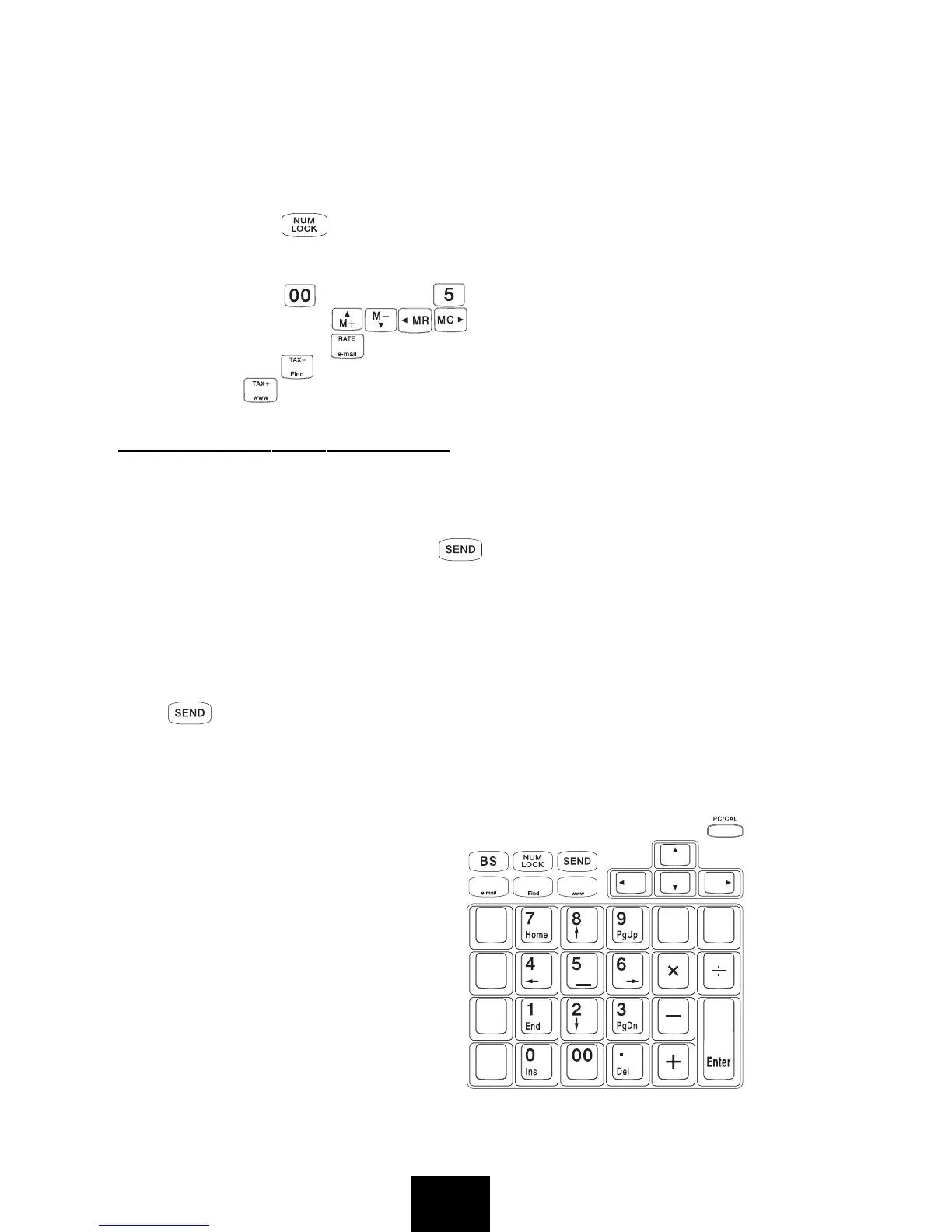
• In this mode, the key can be used to lock and unlock the numeral keys.
When the
Num LK indicator light is off, the numeral keys cannot be used to
input numbers, but perform the functions showed under the numbers on the
keys (except the key and the key).
• In this mode, the keys are used as direction keys.
• In this mode, pressing key can open the software
Microsoft Outlook
pressing the key can open the Search for Files and Folders window;
pressing the key can open the
Internet Explorer.
SENDING DATA TO A COMPUTER
CAL Mode
In the CAL mode, you can send calculation results (displayed contents) to the
connected computer by pressing the key.
• The calculation result sending operation takes some time to complete.
Calculator keys are disabled while the sending operation is in progress.
• You can send values only. 3-digit separator marks, indicators (-MINUS,
MEMORY, etc.) cannot be sent.
• You cannot perform a sending operation while the ERROR indicator is on the
calculator display.
• The key is disabled when the calculator is not connected to a computer.
• Pressing a computer keyboard key while a calculation result sending operation
is in progress can cause the computer input or its code to be inserted into the
calculation result.
PC Mode
This mode changes the calculator
into a numeric keypad shown on
the right. All other calculator keys
are disabled in this mode.


 To Next Page