E7
Note: No driver is packed with this device, therefore, to make it work under a
USB2.0 environment, a PC with port suited to USB2.0 is required (generally,
the driver software for USB2.0 is installed when the USB2.0 connection
board is installed. Please contact the manufacturer of the connection board
for information on whether the USB2.0 connection board is suited to
USB2.0 Hub.)
Caution:
• Do not expose the Calculator or the USB cable to extreme
temperatures.
• Discontinue use and unplug USB cable if calculator or the USB
cable becomes damaged.
TAX CALCULATION
Store the Tax Rate - Press and enter the tax rate figure, then press
to store.
Recall the Tax Rate - Press to recall the current tax rate.
Add Tax Key - Used for adding the tax amount to the displayed figure.
Deduct Tax Key - Used for deducting the tax amount from the displayed
figure.
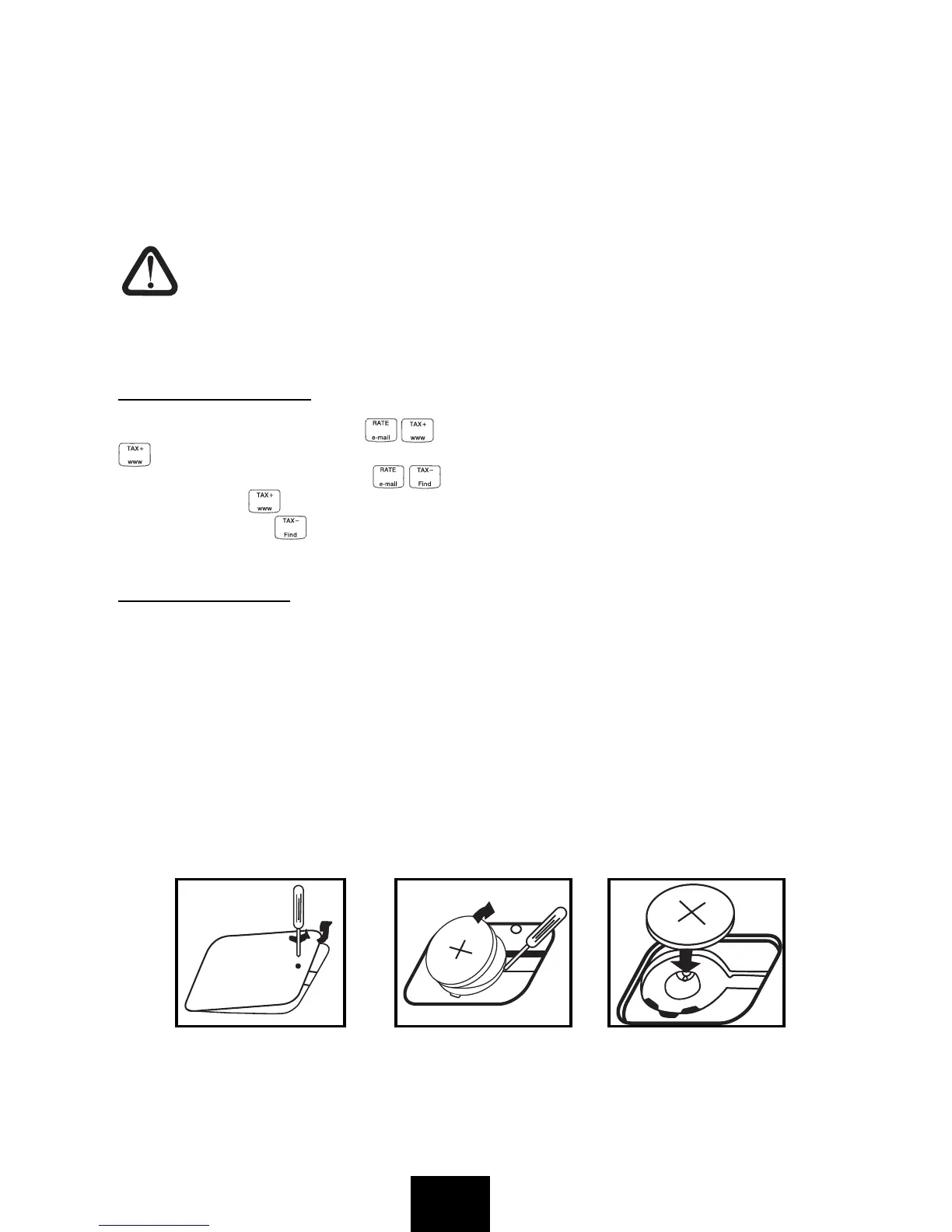
POWER SOURCE
This device uses two power sources, solar battery and internal battery,
together. As the power source automatically switches to solar battery or
internal battery depending on surrounding brightness, it can be used even in
poorly-lit locations.
• The internal battery can be used over a long period of time. Even if the
internal battery had reached its life span, the devuce can be used as a
solar-powered calculator, and thereafter if internal battery is desired to be
used, please change the battery according to the procedure mentioned
below.


 To Next Page