HaYetsira St. 17, Yokneam, Israel
www.airtop-pc.com Page 14 of 25 Airtop owner’s manual
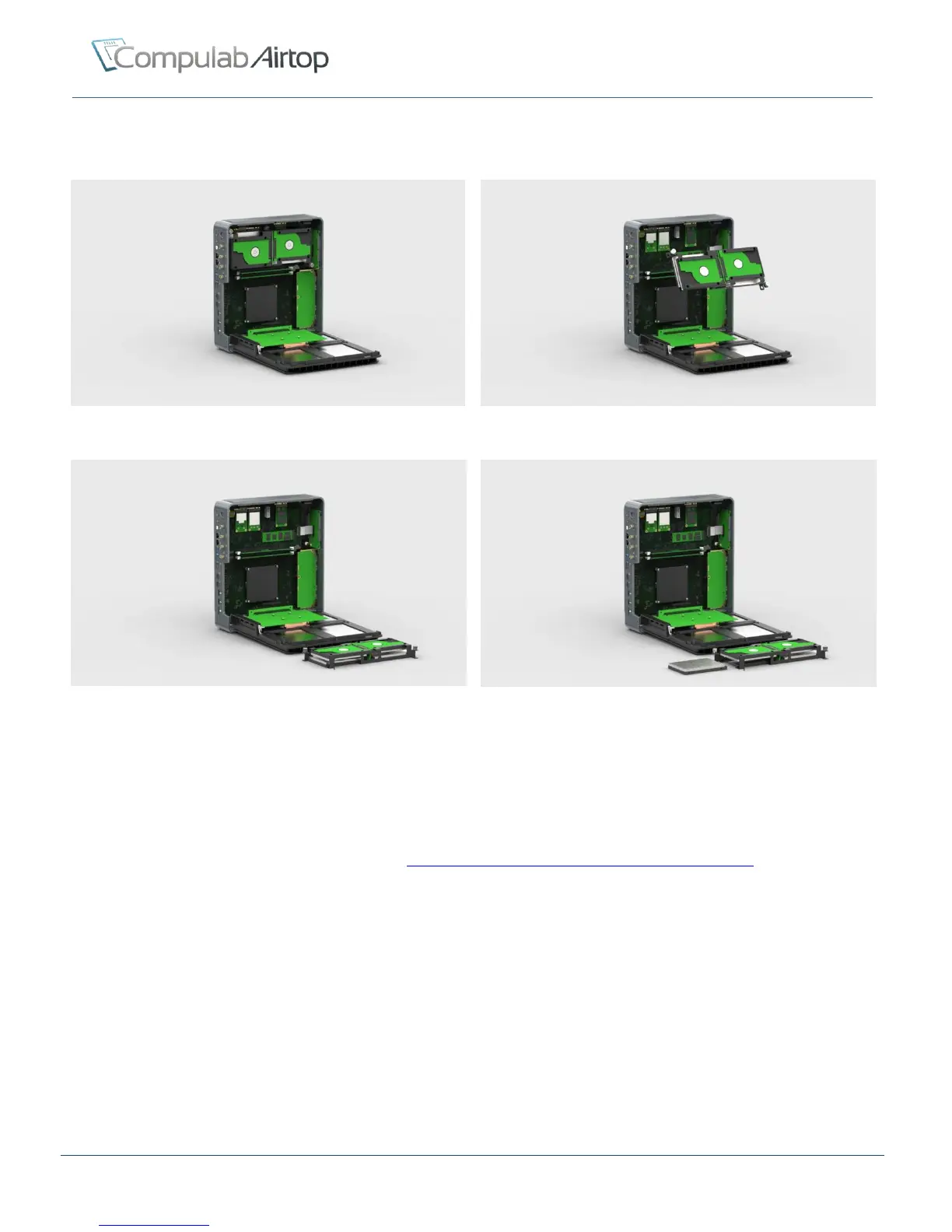
The following images show disks cartridge removal and storage drive replacement in 4 simple steps:
Figure 6 – Press top-bar to open left lid
Figure 7 – Unscrew disks-cartridge’s two thumb screws
Figure 8 – Pull out the disk cartridge
Figure 9 – Install disks and assemble in reverse order
RAID
The Intel® Rapid Storage Technology (Intel RST®) supports RAID levels 0/1/5/10.
For more information please refer to Airtop wiki: http://fit-pc.com/wiki/index.php/RAID_on_Airtop
mSATA
Airtop features single mSATA slot suitable for connecting standard mSATA SSD modules.
M.2
Airtop features single M.2 slot suitable for M.2 2280 SATA only modules.


 To Next Page