Compu Pool CPSC Series Manual 15
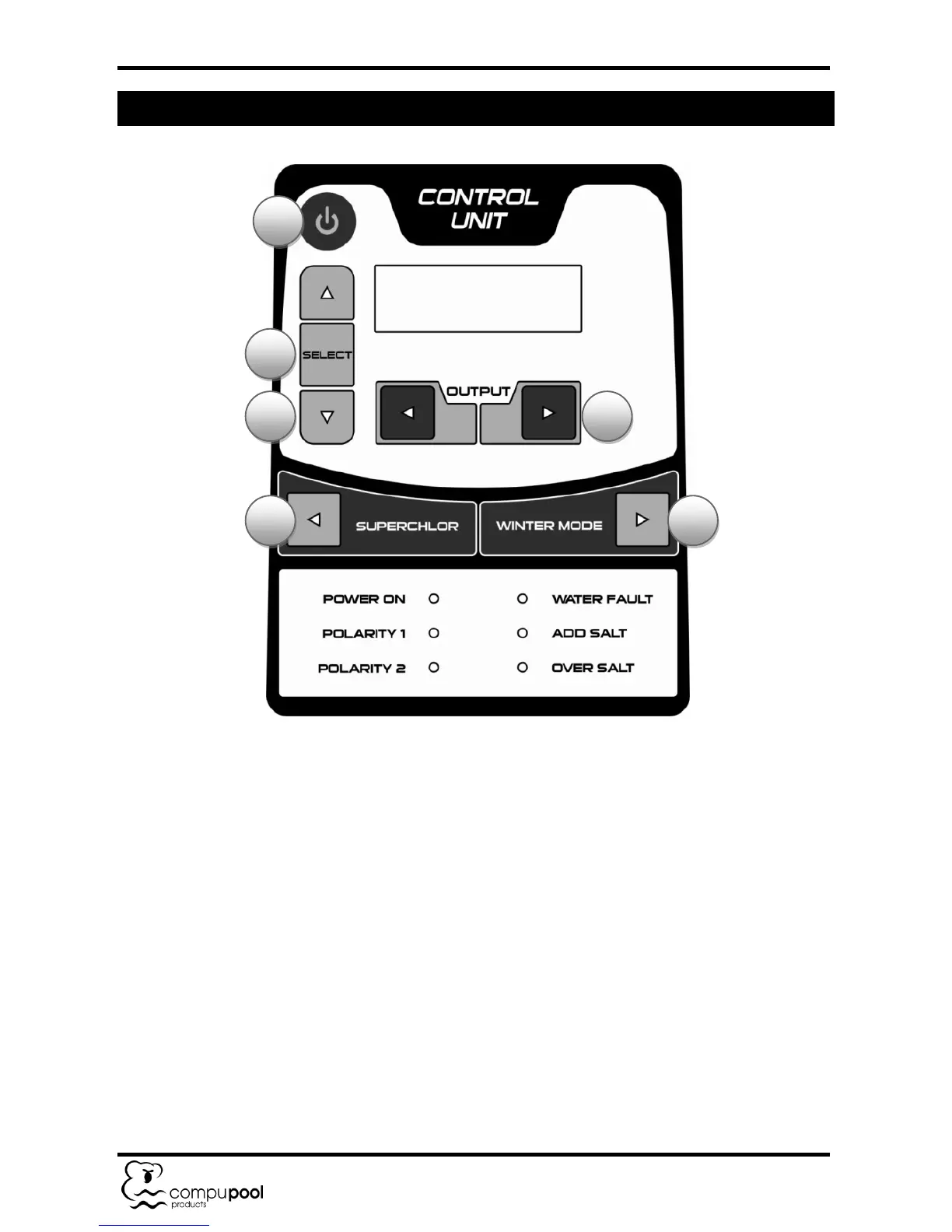
9.0 USING THE CONTROL PANEL
9.1.1 Note: Each time the unit is powered on, the LCD display will perform a 3 minute
self-test, and then show the system’s Time and Output Percentage.
9.2 Control Panel Buttons
1. On / Off. For normal operation, the system should be left in the “On” position. In
this position the Compu Pool CPSC Series will produce chlorine according to the
desired output %. Simply press the button again to turn the unit off.
2. Select Button. Holding this button in for 5 seconds will open the Timing/Readout
menu that provides the following options:
a. Language (factory setting “English”): To change the language simply press
the up or down arrow to scroll through the language options.
b. Which Timer (factory setting “Use External”): Use the down arrow to select
“Use Internal”.


 To Next Page