6
S
S
e
e
t
t
t
t
i
i
n
n
g
g
U
U
p
p
Y
Y
o
o
u
u
r
r
P
P
r
r
i
i
n
n
t
t
e
e
r
r
C
C
h
h
o
o
o
o
s
s
i
i
n
n
g
g
a
a
S
S
u
u
i
i
t
t
a
a
b
b
l
l
e
e
L
L
o
o
c
c
a
a
t
t
i
i
o
o
n
n
Consider the following points when you
choose the location for your printer:
• The distance between the printer and
the host computer must not exceed the
length of the interface cable;
• The location must be sturdy, horizontal
and stable;
• Your printer must not be exposed to
direct sunlight, extreme heat, cold,
dust or humidity (see "Printer
Specifications" later);
• The power outlet must be compatible
with the plug of the printer's power
cord.
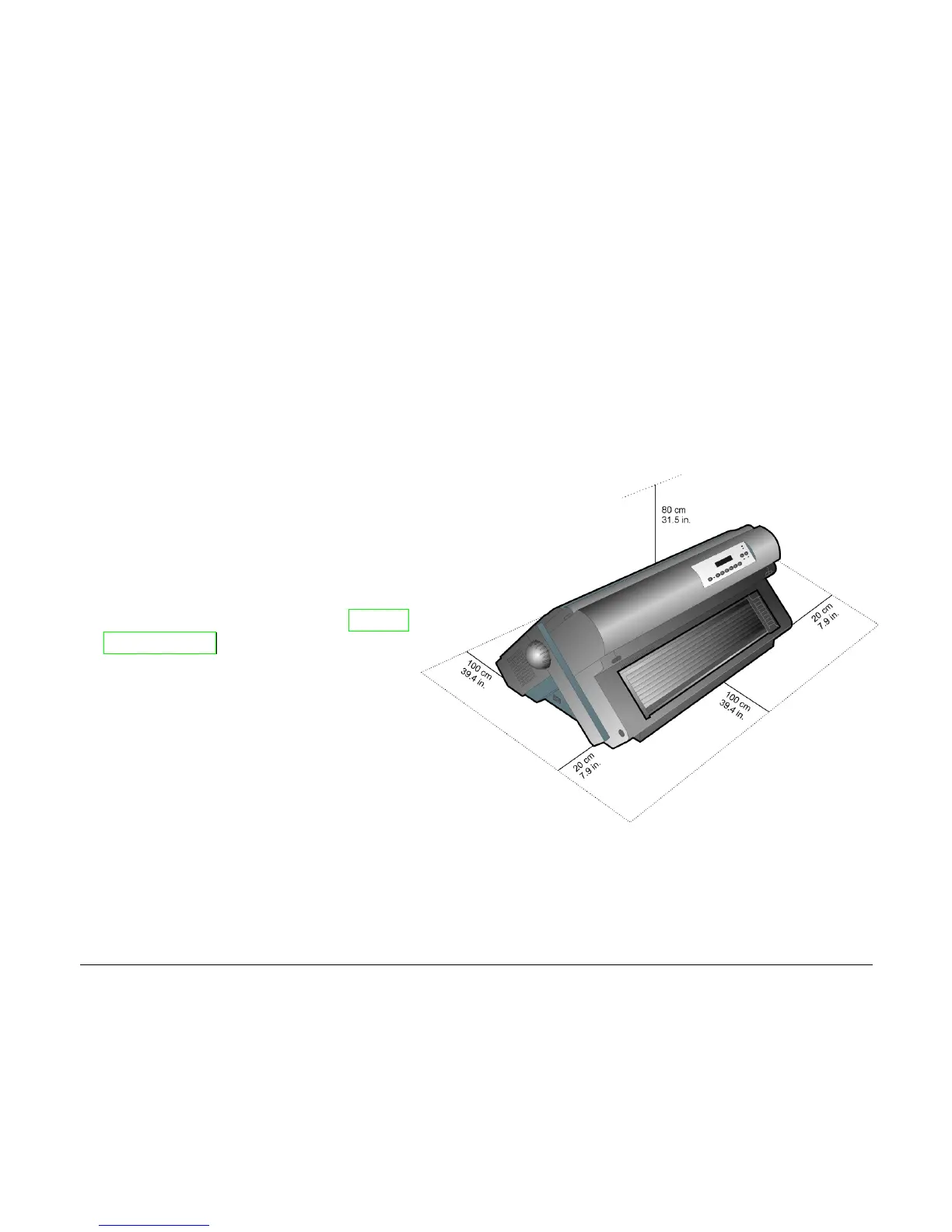
There must be sufficient clearances on
all sides for easy operation. The
required space is shown in the figure:



 To Next Page