EasyManua.ls Logo

Compuprint 9065 - Loading Paper Using the Front1 Push Tractor; When the Front2 Push Tractor (Option) Is; Installed

Compuprint 9065
165 pages
Print Icon
To Next Page IconTo Next Page
To Previous Page IconTo Previous Page
Loading...
149
L
L
o
o
a
a
d
d
i
i
n
n
g
g
P
P
a
a
p
p
e
e
r
r
U
U
s
s
i
i
n
n
g
g
t
t
h
h
e
e
F
F
r
r
o
o
n
n
t
t
1
1
P
P
u
u
s
s
h
h
T
T
r
r
a
a
c
c
t
t
o
o
r
r
w
w
h
h
e
e
n
n
t
t
h
h
e
e
F
F
r
r
o
o
n
n
t
t
2
2
P
P
u
u
s
s
h
h
T
T
r
r
a
a
c
c
t
t
o
o
r
r
(
(
O
O
p
p
t
t
i
i
o
o
n
n
)
)
i
i
s
s
I
I
n
n
s
s
t
t
a
a
l
l
l
l
e
e
d
d
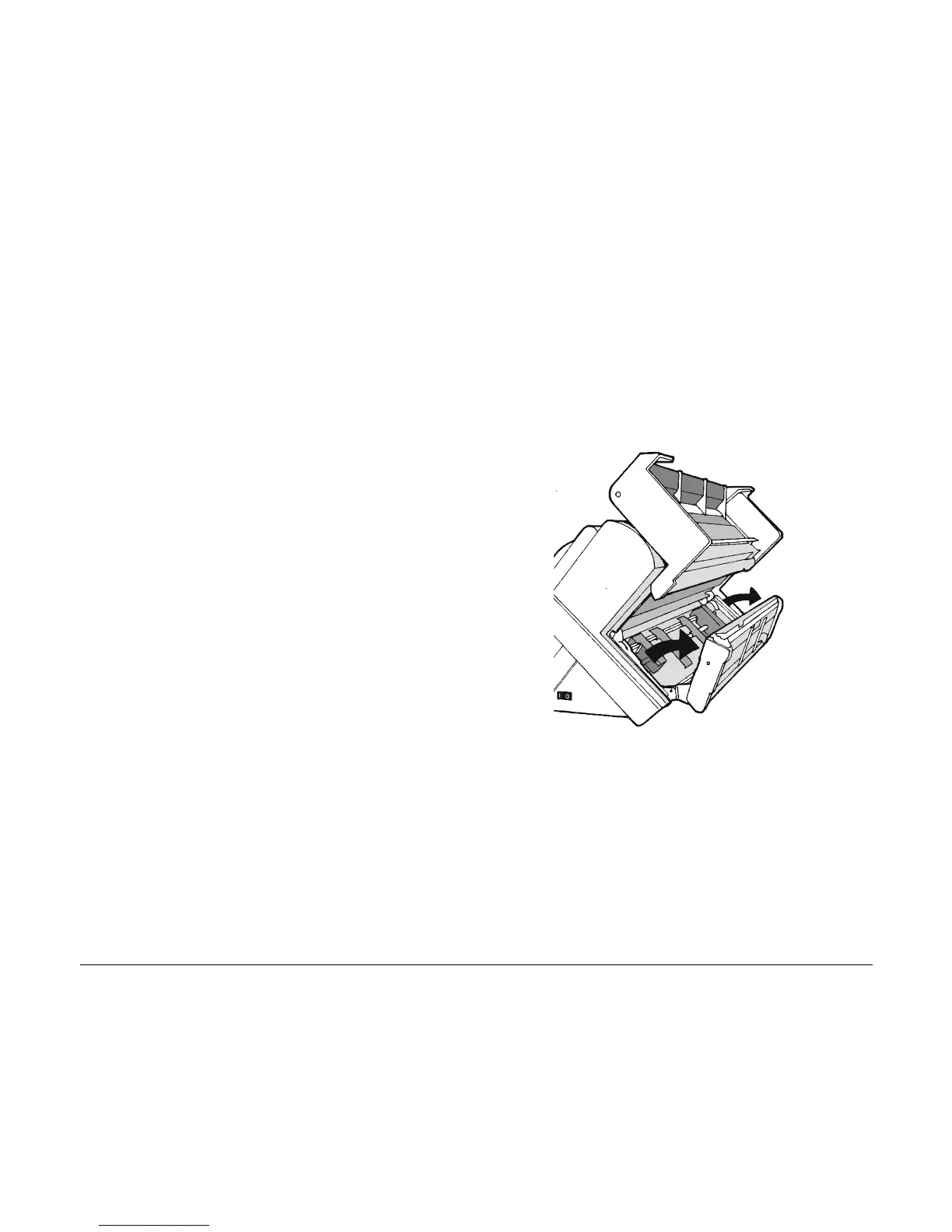
When the Front2 push tractor option is installed and you need to load paper on the Front1 push
tractor follow this paper loading procedure:
1. Open the Push tractors cover turning it
upwards and lay it on the top of the
printer.
2. Rotate the Front2 push tractor option
outside the printer.

Table of Contents

Other manuals for Compuprint 9065

Related product manuals