22
Since the Ethernet sengs are made with a web connecon, keying in incorrect stac IP informaon can result in
losing access to the interface enrely. If this happens, it is possible to be “locked out” of the unit
(i.e., unable to log in). has a network recovery tool to help with this: .
For security reasons, is only available during aer a BRIC-Link
unit has (re)booted. Once those ve minutes have elapsed, the unit will need to be rebooted in order to perform
network recovery.
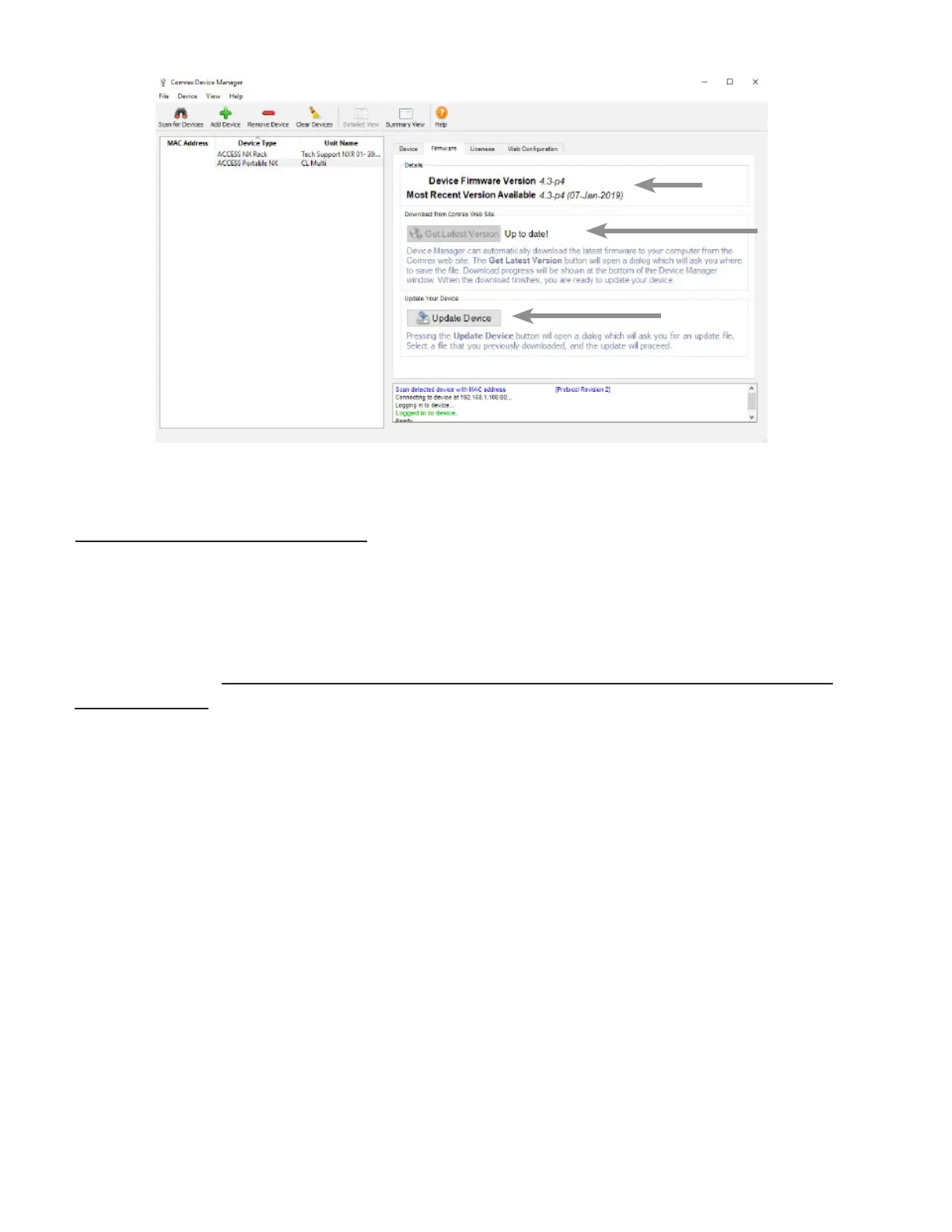
10 shows . The “” buon has shown the presence of a BRIC-Link on the
network. On the “” tab on the right pane, the “” buon is acvated and a countdown mer
is started. Selecng this will allow changing of the primary Ethernet sengs in the same way as Toolbox.
Once the IP address is set up via the , the rest of the setup and operaon of the BRIC-Link is done
via the . This process is addressed in the following secon.
3
1
2


 To Next Page