EasyManua.ls Logo

Conceptronic C4CHCCTVKIT - Advanced Operation Features

Conceptronic C4CHCCTVKIT
21 pages
Print Icon
To Next Page IconTo Next Page
To Previous Page IconTo Previous Page
Loading...
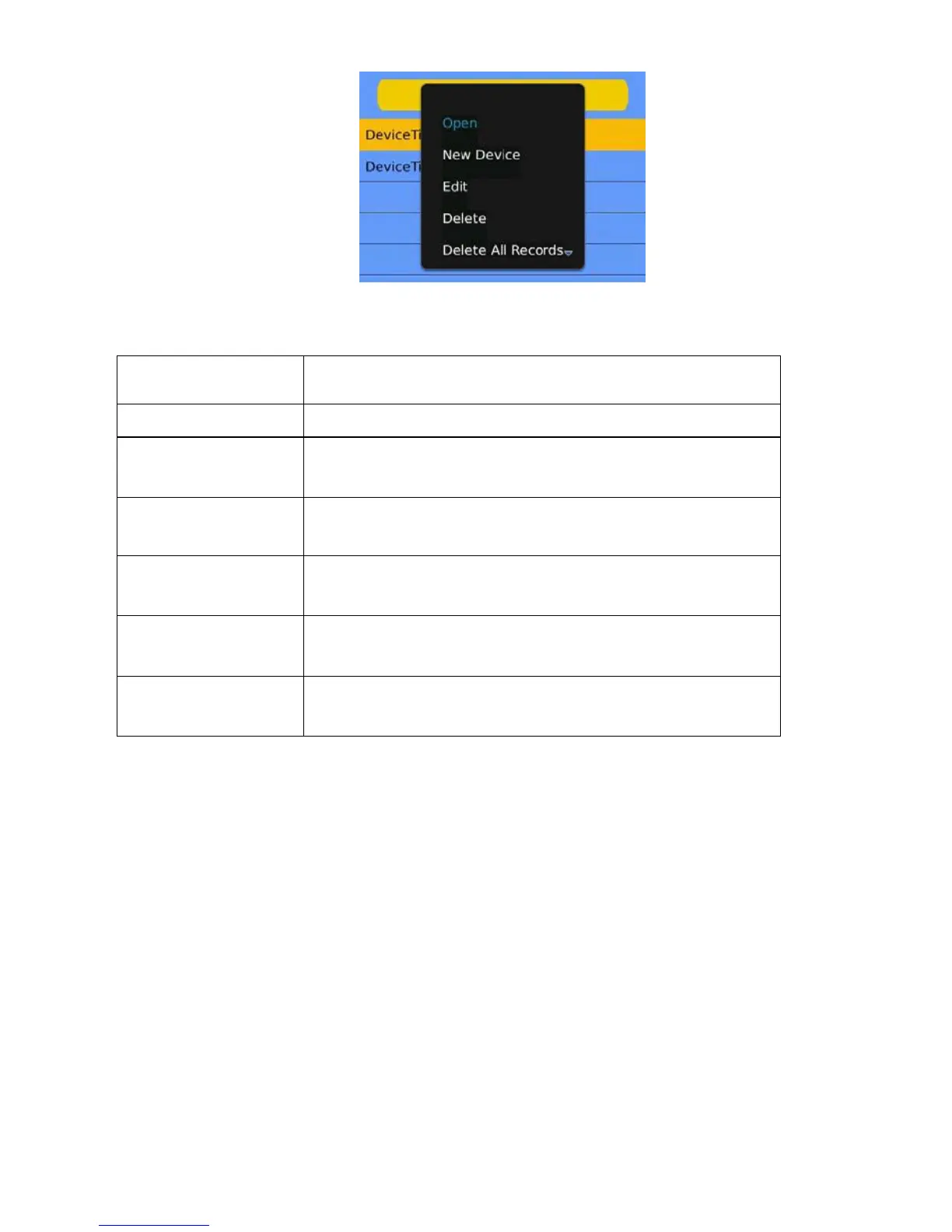
The corresponding functions of buttons in < device edit> interface show as follows:
Menu definition
Function
specification
Set to real-time preview
When the program connects with device, play video.
New Device
Create a new record.
Edit
Edit record.
Delete
Delete the selected record.
Delete All Records
Delete all records.
Shutdown
Shut down the program.
3 Instructions for iPhone
3.1 Essential condition
1) Supports version iOS 3.0 or above, and mobile phones includes iPhone, iPod, touch etc.
6.1.3.2 Installation and operation instructions
1Run the App Store program for iPhone
Switch to the search tag page, and input Asee + in the search box to find the application installation package, then
click <install> .After finishing installation, there will be Asee + program icon on the mobile phone desktop, as shown in
the below image.


Other manuals for Conceptronic C4CHCCTVKIT

Related product manuals