Note:Some permissions cannot be set <permit> (the gray options mean cannot change this option), and click
“save”.
4)Enter the initial interface
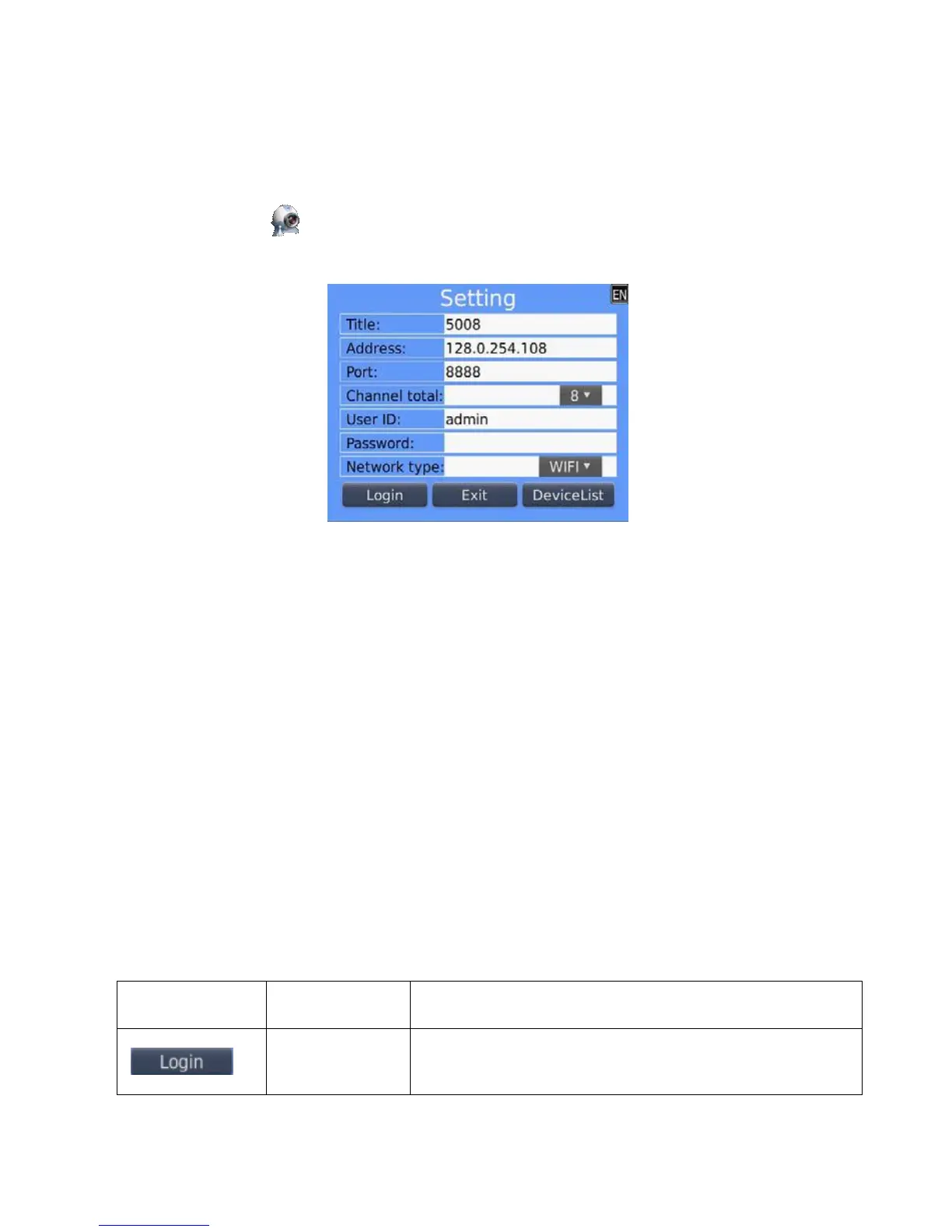
Click the program icon <Asee>, after running procedure there will be a welcome page, then enter the initial
interface, as shown in the below image.
Notes:
<Title>:It is convenient to distinguish between multiple devices.
<Ad
dre
s
s
>:The public IP address, dynamic domain name or LAN IP of DVR (The port should be mapping
before using public IP and mobile phones need to open wifi before using LAN IP).
<Port>:The mobile port set in DVR(default parameter is 8888).
<Channel total>:The actual channel number of DVR.
<User ID>:The username Owens view permissions of mobile phone(default username is admin).
<Password>:The mobile phone port of DVR (default password is empty).
<Network type>:Choose the network type that you need.
The corresponding functions of buttons show as follows:



 To Next Page