11
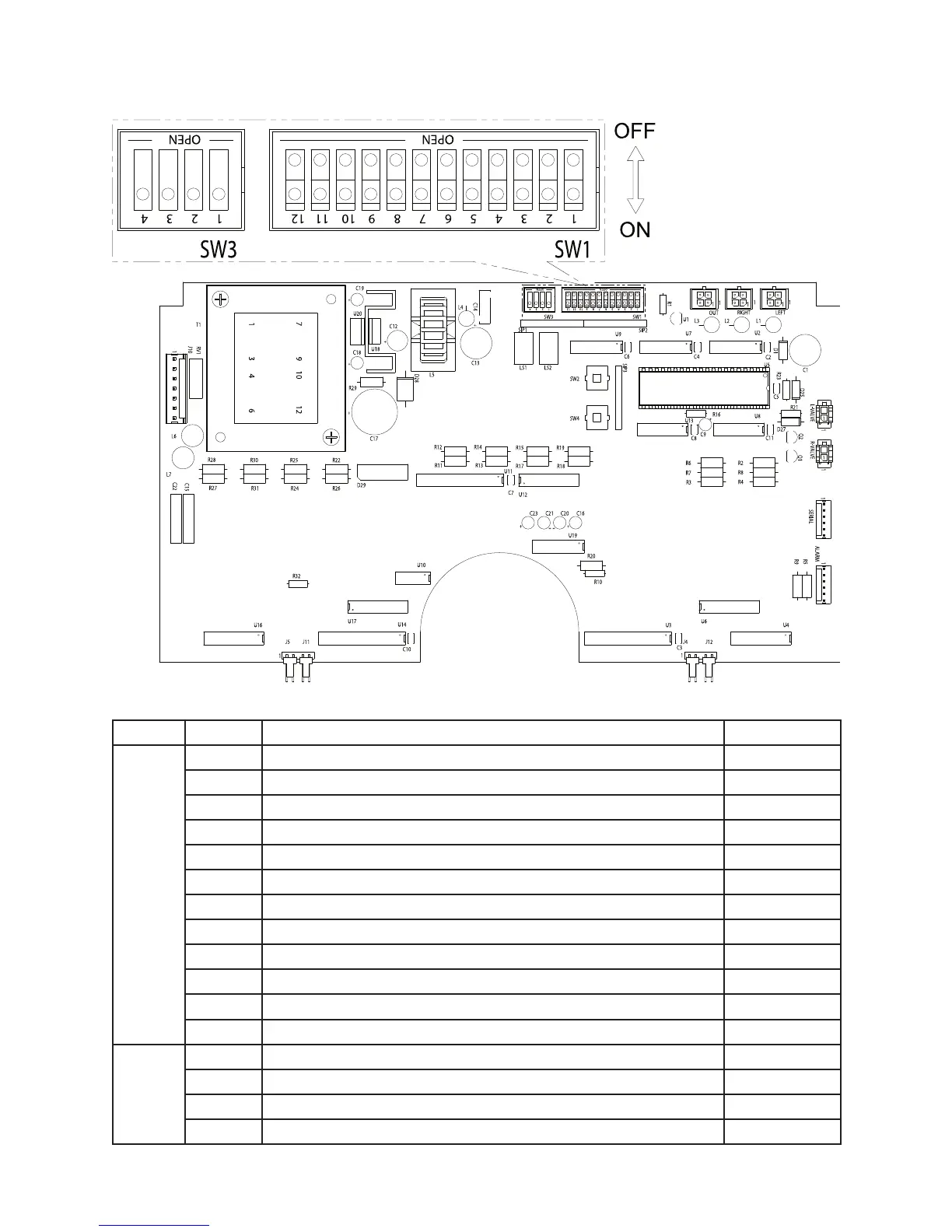
Figure 3
Table 2 — DIP Switch Settings
Switch # Function Value
SW1
1 Switchover pressure set 1 1
2 Switchover pressure set 2 2
3 Switchover pressure set 3 4
4 Switchover pressure set 4 8
5 Switchover pressure set 5 16
6 Switchover pressure set 6 32
7 Switchover pressure set 7 64
8 Switchover pressure set 8 128
9 Switchover pressure set 9 256
10 Reserved
11 PSI units set (if SW1-11 and SW2-11 both not set, units = MPA) ON = set
12 BAR units set (if SW1-11 and SW2-11 both not set, units = MPA) ON = set
SW3
1 Serial communication enabled ON = enabled
2 Serial communication protocol (RS-232 or RS-485) ON = RS-485
3 Reserved
4 Keypad lockout ON = enabled



 To Next Page