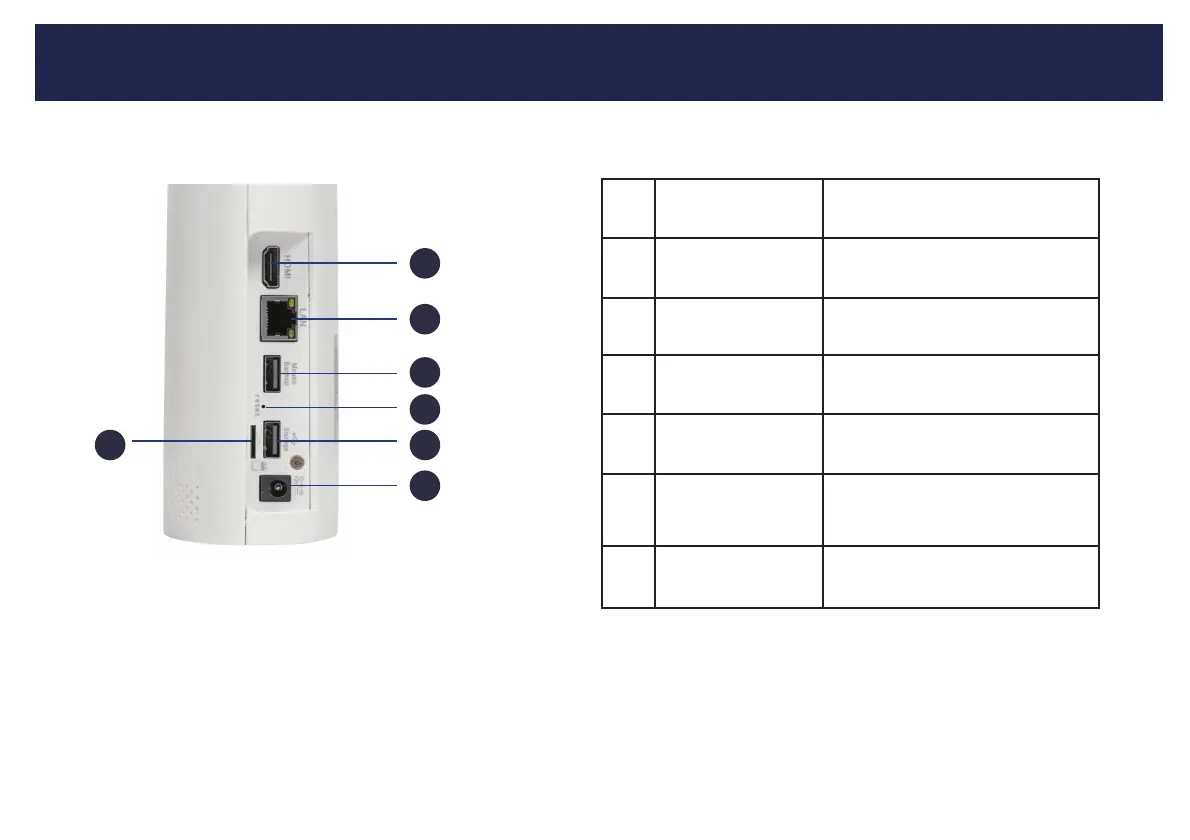
Getting to know your NVR
1
2
3
4
5
6
7
2
7
1
2
3
4
56
HDMI Monitor Port
To connect monitors that use an
HDMI Connection.
WAN Port
Connect to your network router using
supplied RJ45 Ethernet cable.
USB Port
USB port for thumb drive
to share videos.
microSD Card Slot
Used as extension memory
to the HDD.
Power Input
Follow instructions in step 1
to connect power
Reset Button Manual reset button for unit.
Mouse USB Port USB port for mouse.



 To Next Page